
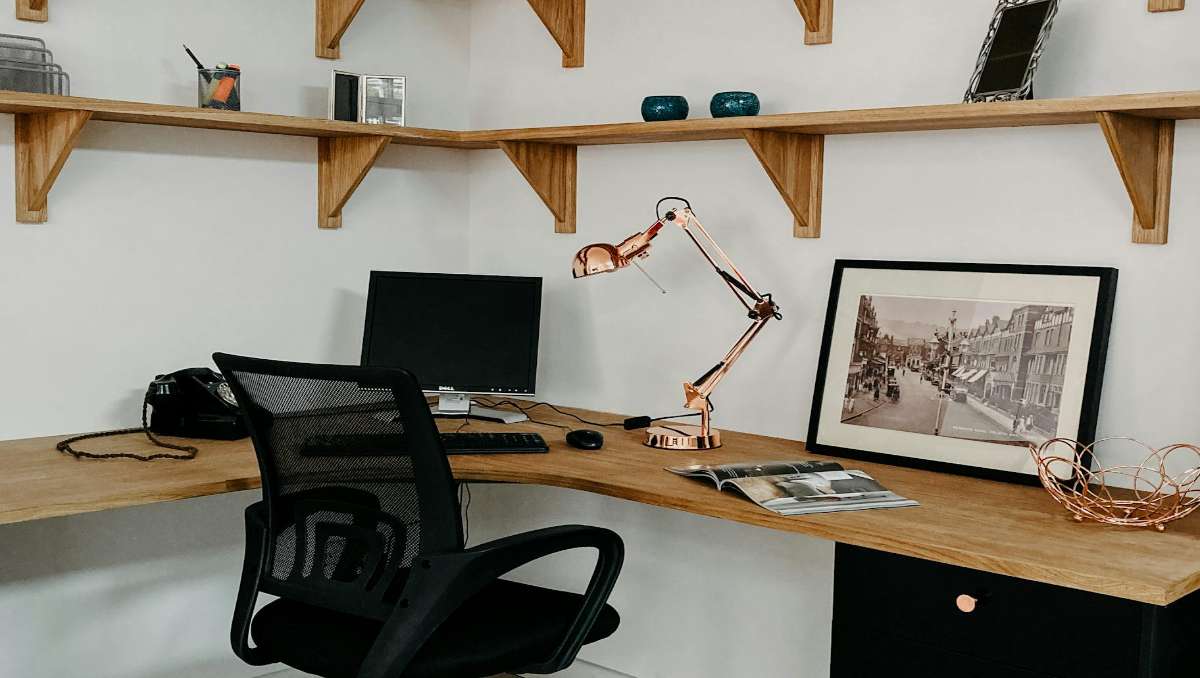
Working from home sounds simple until your desk setup starts working against you. Cables creep in and somehow the corner of the room becomes both underused and overcrowded at the same time. That is where a well-thought-out corner desk setup can quietly change everything. When done right, it gives you more surface area, a better flow between tasks, and a setup that actually supports how you work day to day.
Key Takeaways
- A corner desk setup maximizes space and workflow by using underutilized corners.
- Corner desk setup ideas include L-shaped layouts, floating desks, ergonomic arrangements, and smart storage.
- Ergonomic consideration and desk organization are crucial in keeping you comfortable and productive.
In this guide, we will walk through practical corner desk setup ideas designed specifically for remote workers.
What is A Corner Desk?
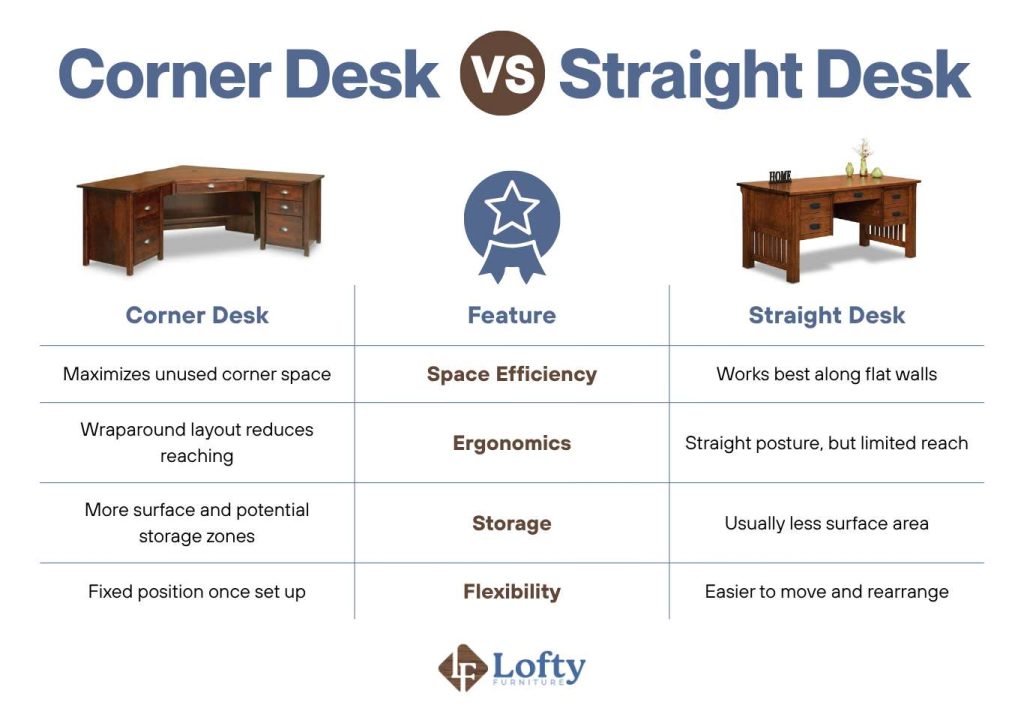
Designed to nestle into the intersection of two walls, a corner desk is a space-saving furniture solution that transforms an often-neglected area into a high-functioning workstation. Its signature “L” or “V” shape provides an expansive surface area without encroaching on the center of a room, making it ideal for those who need to juggle multiple tasks at once or those with laptop-monitor setup. By wrapping around the user, the desk creates a more immersive environment where equipment and documents remain within easy reach, effectively doubling the usable workspace compared to a standard straight desk.
To see how these styles stack up against one another, here is a direct comparison of the corner desk versus the traditional straight desk:
Practical Corner Desk Setups That Actually Work for Remote Life
To create a desk set up that actually works for you, it is essential to plan around your specific home layout and professional habits. Start by measuring your available wall space and considering factors like natural light and outlet placement to ensure your tech remains accessible. By mapping out your workflow before you buy, you can implement the practical ideas below to build a routine that suits your specific tools and daily needs.
1. L-Shaped Desk for Maximum Surface Area
An L-shaped desk is one of the most popular corner desk setups because it creates two connected work zones without using extra floor space. You can keep your main workstation on one side and use the other for secondary tasks. Research, such as the study on the impact of work desk shapes shows that desk shape can influence how efficiently a workspace is used. An L-shaped layout supports this by naturally organizing tasks into separate zones within one compact area.
Maximize your corner efficiency and ergonomics by upgrading to an L-shaped desk, the ultimate solution for a versatile workspace.
2. Floating Corner Desk for Small Spaces
If you’re working with a tight home office, a floating corner desk can open things up significantly. Mounted directly to the wall, it removes bulky legs and creates a cleaner, lighter look, helping the space feel less crowded and more comfortable. For practical use, most floating desks are 16–24 inches deep and around 36–48 inches wide per side for a functional workspace. In terms of safety, look for models rated at at least 50–100 lbs and mounted into wall studs, as typical setups with a monitor and accessories can reach 25–45 lbs.
3. Ergonomic-Focused Setup
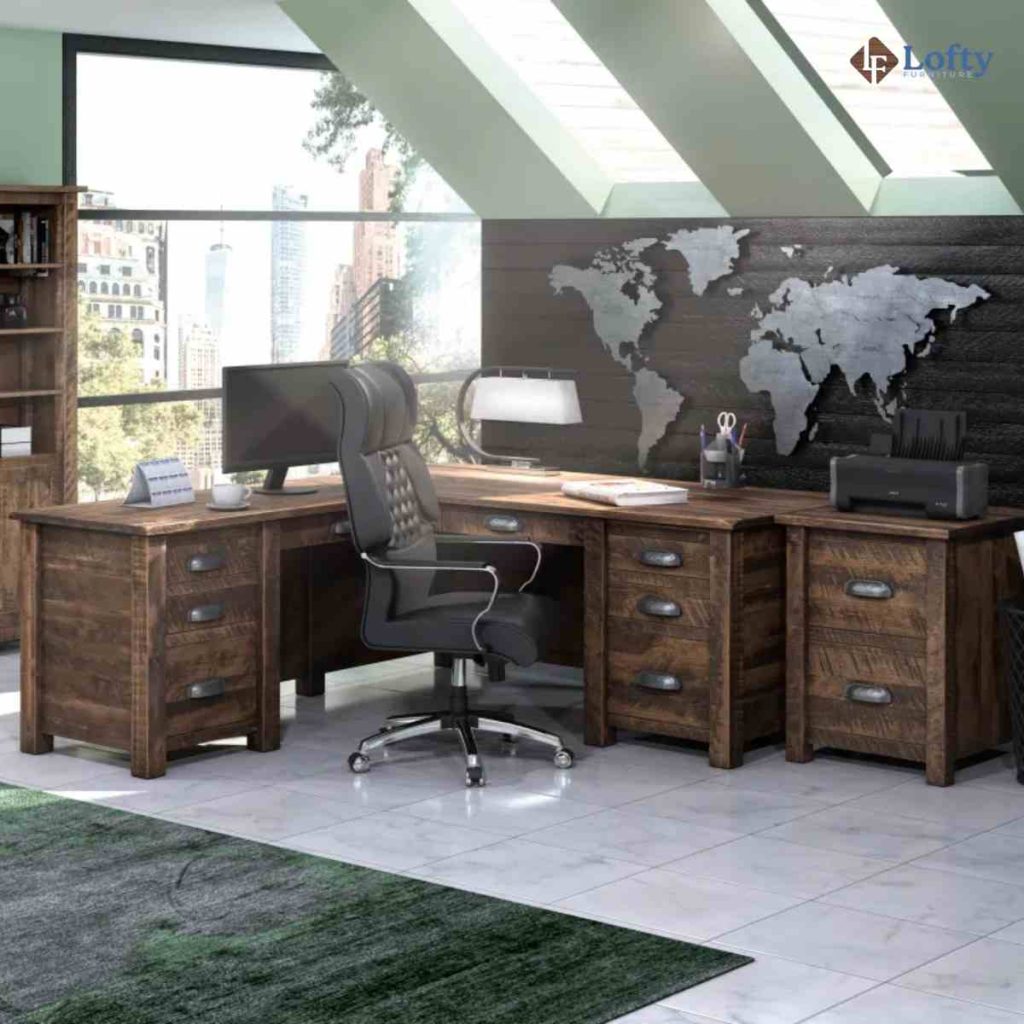
An ergonomic corner desk setup prioritizes comfort and long-term health. This setup typically includes an ergonomic chair, proper monitor height, and enough legroom to support natural movement. Small adjustments like keeping your screen at eye level and aligning your keyboard and mouse can significantly reduce strain over time. We recommend these chair and monitor positions based on ANSI ergonomic standards to ensure proper posture and workspace alignment.
4. Vertical Organization and Storage
When desk space is limited, going vertical can make a huge difference. Instead of crowding your desktop, use wall-mounted shelves, pegboards, or stackable storage to keep essentials within reach but off your main surface. For example, we suggest placing a small shelf above your monitor for frequently used items like notebooks or chargers to keep your workflow smooth without cluttering your desk. This approach works especially well in daily use, where quick access matters but a clean workspace helps maintain focus.
5. Lighting and Ambiance Optimization
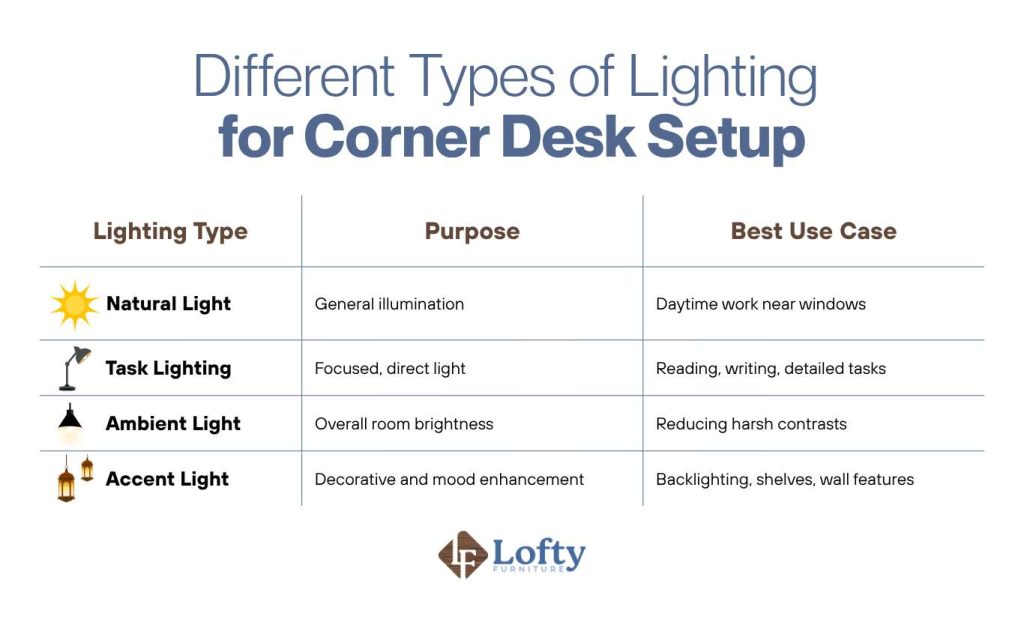
Lighting plays a bigger role in your setup than most people expect. A well-lit corner desk reduces eye strain, improves focus, and can even affect your mood throughout the day. Natural light is ideal, so placing your desk near a window can help, but it should not create glare on your screen. If natural light is limited, layering different types of lighting can create a balanced and comfortable environment.
Here is a simple guide to different types of lighting you can use in your setup:
6. Cable Management and Clean Setup
Loose cables can quickly turn a well-organized corner desk into a tangled mess, especially when you are using multiple devices. Simple solutions like cable clips, sleeves, or under-desk trays can keep everything in place and out of sight. Good cable management also makes it easier to clean and upgrade your setup later on.
7. Tech Integration for a Smarter Workspace
A modern corner desk setup works best when your technology feels connected rather than scattered. Instead of treating each device as separate, aim for a setup where everything works together seamlessly, like using a docking station for your laptop, adding a wireless charging pad, or syncing your devices. For example, you can keep your laptop docked on one side of the desk while both monitors and accessories stay connected, so you can sit down and start working instantly without plugging things in each time.
Common Mistakes to Avoid in Corner Desk Setups
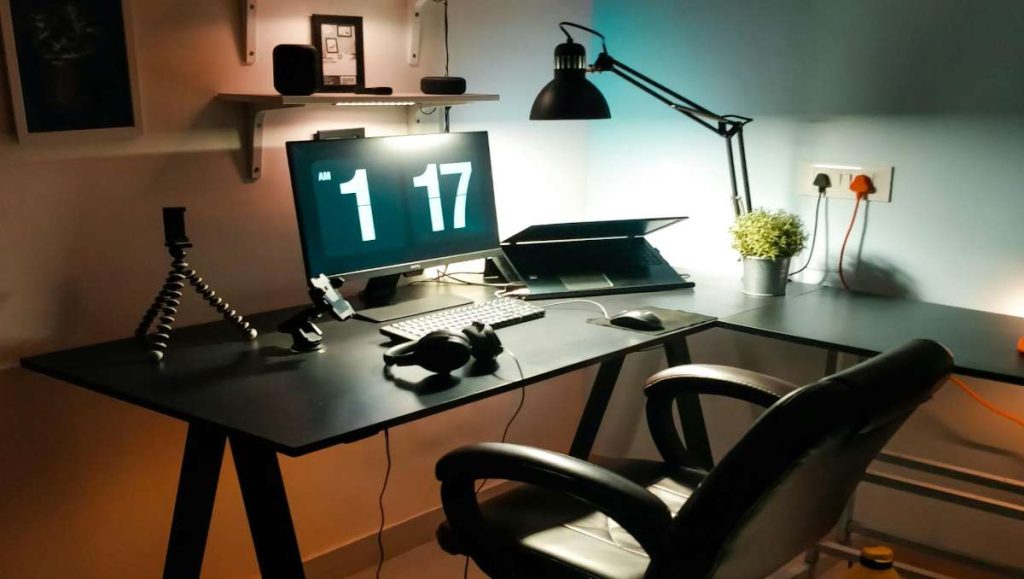
Even a well-intentioned setup can fall short if a few key details are overlooked. Avoiding these common mistakes can make a noticeable difference in comfort, productivity, and overall usability.
1. Poor monitor placement: In a corner setup, your main screen should sit directly in front of you, with secondary screens angled naturally.
2. Ignoring ergonomics: It is easy to focus on aesthetics and forget about comfort. An improper chair height, lack of back support, or poorly positioned keyboard can lead to long-term strain and musculoskeletal issues.
3. Overcrowding the desk: Too many items on your desk can limit movement, reduce focus, and make your setup feel chaotic instead of productive.
4. Inefficient lighting: Relying on a single light source or placing lighting incorrectly can cause glare or shadows. This not only affects visibility but can also lead to eye strain over time.
5. Keep the Desk Organized Over Time: Corner desks have extra depth, which can easily collect clutter. Do a quick weekly reset. Keep frequently used items close and move less-used ones farther back.
6. Adjust Your Setup as Your Needs Change: When adding new devices, don’t just squeeze them in. Reorganize your layout, cables, and lighting to maintain a clean and functional workspace.
7. Check Stability and Storage Regularly: Over time, hardware and storage areas can loosen or become inefficient. Periodically inspect and adjust your setup to keep everything secure and easy to use.
Conclusion: Build a Corner Desk Setup That Works for You
A well-designed corner desk setup is more than just a space-saving solution. From L-shaped layouts and floating desk solutions to smart lighting and cable management, each element plays a role in making your setup feel efficient rather than overwhelming.
The best approach is to keep things intentional. Focus on what you actually use, prioritize comfort, and build around your daily workflow. Whether you are working with a small corner or a larger dedicated space, the right setup should feel natural to use and easy to maintain. When everything is in the right place, your workspace stops being a distraction and starts working with you.
Frequently Asked Questions
How to layout a corner desk?
Start by placing your primary monitor directly in front of your seated position, ideally centered within the corner. Use one side of the desk for your main tasks, like typing and computer work, and the other side for secondary tasks, such as writing, meetings, or storage.
How should you sit at a corner desk?
Sit facing the center of the desk with your monitor at eye level and your back fully supported by your chair. Keep your feet flat on the floor, your elbows at about a 90-degree angle, and your keyboard positioned so your wrists stay neutral.
What to put in the corner between desks?
The inner corner space can be used for items you access often but do not need directly in front of you. This might include a monitor stand, a small desk organizer, a lamp, or even a decorative piece. Some people also use this area for a secondary screen or docking station to keep their main workspace clear.