
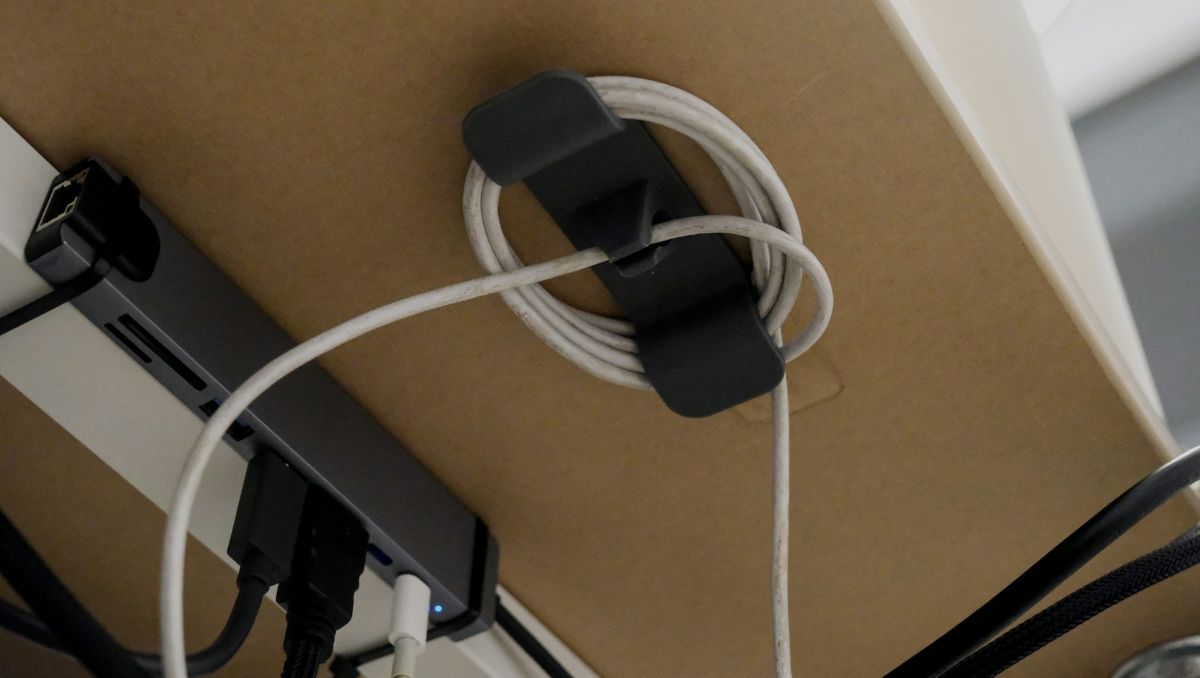
Standing desks are becoming more popular in both home offices and workplaces because they support better posture and healthier work habits. However, as more devices are added to a height-adjustable desk, cable clutter quickly becomes a problem. Without the right cable management accessories, cords can tangle, stretch, or hang loosely, making the workspace look messy and increasing the risk of damage or accidents.
Key Takeaways:
- Essential standing desk accessories include cable trays, clips, and ties, which help keep cords organized and prevent damage as your desk moves.
- Planning your cable layout and regularly adjusting your setup helps ensure smooth desk movement, prevents tangling, and keeps your workspace organized.
- Prevent common issues like tangled cords and damaged cables by using flexible cable management systems that move with your standing desk and keep everything in place.
In this article, we’ll walk you through essential cable management accessories designed specifically for standing desks.
Why Cable Management Matters for Standing Desks
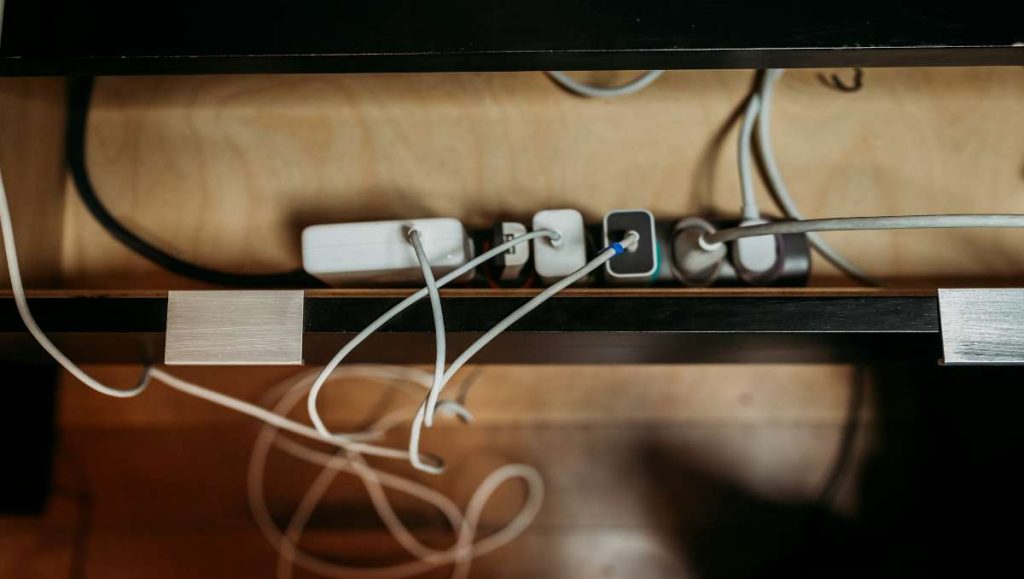
Cable management is essential for standing desks because they move up and down throughout the day. Without proper cable management accessories, cords can stretch, tangle, or disconnect when the desk changes height. This can lead to damaged cables, interrupted workflow, and added stress on your devices.
Good cable management not only enhances safety and productivity but also improves the overall appearance of your workspace. Loose or tangled cables can become tripping hazards, wear out faster, and create distractions. Using the right cable management accessories keeps cords secure, allows smooth desk movement, and maintains a clean, organized setup. In a study, researchers found that effective cable management is critical for ensuring optimal performance and reliability, highlighting the importance of organized and well-protected cords.
Must-Have Cable Management Accessories for Standing Desks
Using the right cable management accessories helps keep cables organized, protects them from damage, and ensures your desk moves smoothly. Here’s a list of essential cable management accessories you need for your standing desk.
Cable Trays
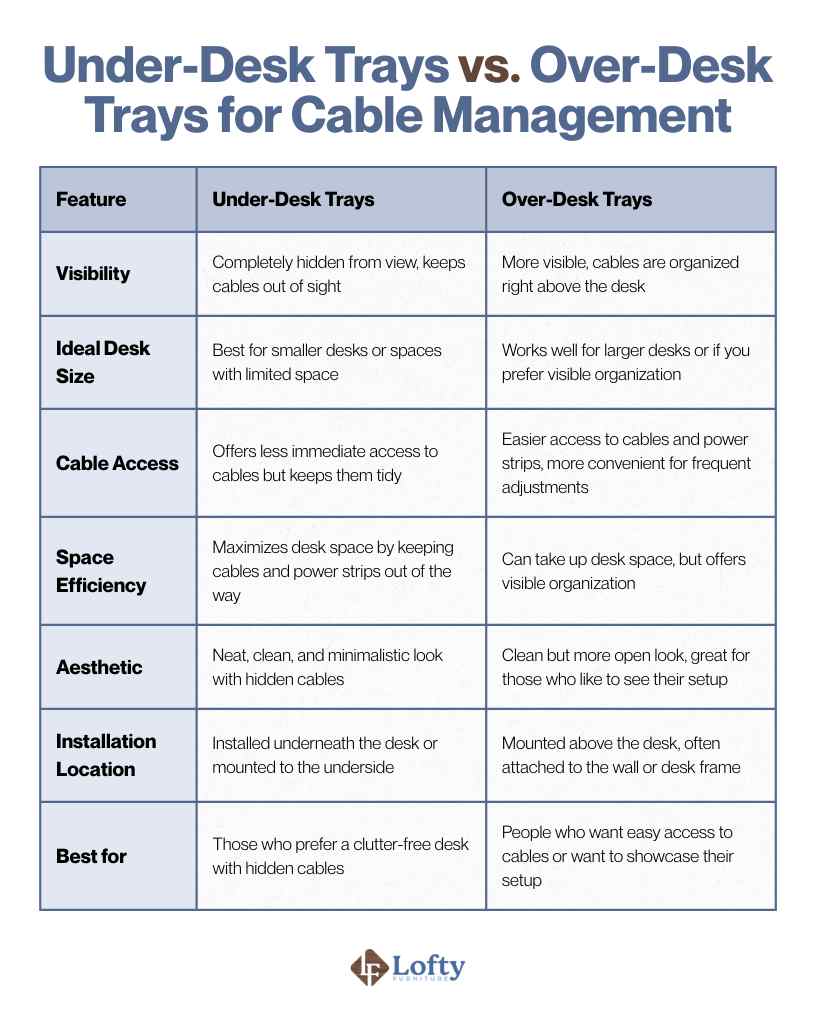
Cable trays are simple but super effective accessories that help you organize cables underneath or behind your desk. Think of them like a little shelf where all your cables can rest neatly out of sight, keeping your workspace looking clean and tidy. These trays work by holding your power cords, charging cables, and even power strips in place, preventing them from tangling or hanging loosely. The best part? They’re easy to install and don’t require any advanced tools, so you can set them up in just a few minutes.
When it comes to types of cable trays, you’ve got two main options: under-desk trays and over-desk trays.
Cable Clips and Cable Ties
Cable clips are small but powerful tools that help keep your cords from hanging loosely or getting in your way. They attach to the edge of your desk or along your walls, ensuring cables stay exactly where you want them. There are several types of cable clips, including adhesive clips that stick easily to your desk, magnetic clips that you can reposition as needed, and screw-in clips for a more permanent solution. Each type has its benefits, depending on whether you need flexibility or a more secure hold.
Cable ties, on the other hand, are great for bundling multiple cables together, keeping them organized and out of sight. You can use Velcro ties, which are adjustable and reusable, or plastic ties that offer a tight, secure hold. Combining both cable clips and ties gives you the best of both worlds: clips keep your cables off the desk, while ties bundle them together for a neat, clutter-free workspace.
Cable Sleeves
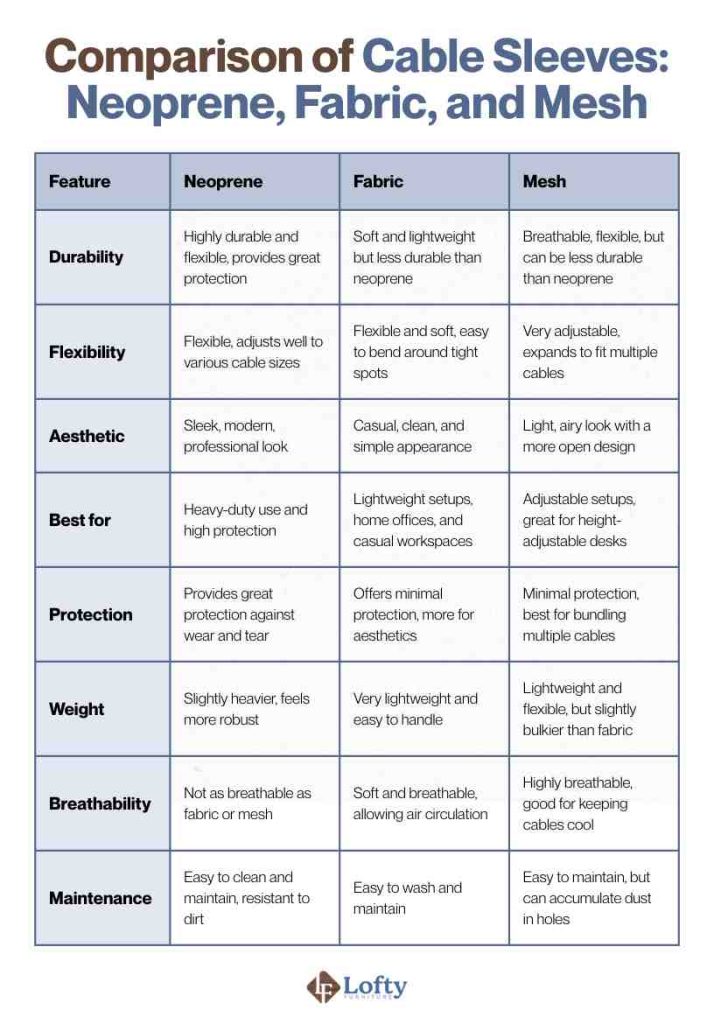
Cable sleeves are a sleek and practical solution for keeping all your cables bundled together and protected. Instead of having individual wires running all over the place, you can group them into a single sleeve, which keeps things neat and prevents tangling. The sleeve also adds a layer of protection, guarding your cables from wear and tear, especially if you’re frequently adjusting your desk height.
These sleeves come in various materials. Here’s a quick comparison for your reference:
Desk Cable Management Boxes
Desk cable management boxes are the perfect solution if you want to hide your power strips and any extra cables under your desk. These boxes are designed to keep everything tucked away in one neat spot, reducing visual clutter and making your desk look more organized. Not only do they help with aesthetics, but they also help prevent dust from accumulating on your cords, extending their lifespan.
When choosing a cable management box, consider the size of your power strip and how many cables you need to hide. You’ll want to pick a box that fits comfortably under your desk or on the floor, and one that allows easy access when you need to plug something in. A well-placed box can make a huge difference in the look and feel of your workspace.
Adjustable Cable Management Systems for Standing Desks
For standing desks, an adjustable cable management system is a game-changer. These systems are designed to move with your desk as you adjust the height, ensuring your cables don’t get tangled or snagged when you go from sitting to standing. Some systems feature retractable cables or cord reels that neatly roll up as you raise the desk, while others include channels that keep cables tucked away but still accessible.
Magnetic Cable Management Solutions
Magnetic cable management solutions are a flexible and innovative way to keep your desk organized. These organizers use magnets to hold your cables in place, making it easy to reposition them whenever you need. Whether it’s magnetic clips, holders, or strips, these accessories allow for a clean, minimalistic look while giving you the freedom to move your cables as needed.
Common Cable Management Challenges
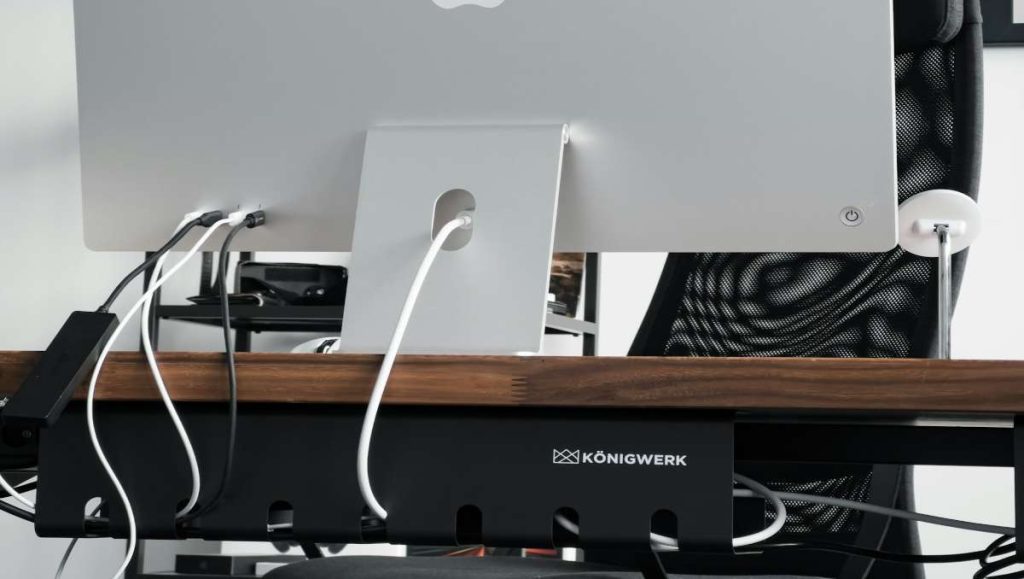
Standing desks often suffer from tangled cables from monitors, laptops, chargers, and accessories, making devices hard to unplug, adjust, or clean around. Desk movement worsens the issue, as poorly managed cords can pull tight, drag on the floor, or get caught, causing stress or disconnections. Limited space for power strips also adds clutter, with cords and adapters ending up on the floor or desktop and disrupting airflow and organization.
You might want to read our Jarvis standing desk detailed review.
Tips for Optimizing Cable Management on a Standing Desk
A cluttered desk can reduce focus and increase stress, so smart cable management is key to productivity and safety. To improve readability and effectiveness, these tips are grouped into a few clear areas:
1. Plan for Layout and Movement: Before installing trays or clips, map out where each cable will run, which devices need frequent access, and where power strips will sit. Leave enough slack and use flexible routing so cables move smoothly as the desk raises and lowers without pulling or snagging.
2. Use Durable, Flexible Management Solutions: Avoid over-tightening cables, as this can cause fraying or disconnections during desk movement. Invest in high-quality clips, sleeves, spines, and mounts that hold securely over time and keep cables guided and protected.
3. Maintain Safety and Long-Term Organization: Keep airflow clear around power strips and adapters to prevent overheating, and periodically check your desk setup. Cables naturally shift as you move your desk or add devices, so small adjustments help maintain a clean, safe workspace.
Transform your workspace with premium cable management accessories—keep cords organized, desks clutter-free, and enjoy a safer, more productive environment.
Conclusion
Effective cable management is more than just keeping your desk tidy—it protects your devices, ensures smooth movement of your standing desk, and creates a safer, more efficient workspace. The right cable management accessories make it easy to organize cords, prevent damage, and reduce clutter, allowing you to focus on work instead of distractions.
By planning your cable layout, using quality accessories, and avoiding common mistakes, you can transform your standing desk into a functional, professional, and visually appealing workspace. Small investments in cable organization today pay off in comfort, productivity, and long-term device safety.
Frequently Asked Questions
What tools do I need for PC cable management?
For PC cable management, common tools include cable ties, Velcro straps, cable clips, cable sleeves, and cable trays. You may also need a screwdriver or drill for mounting trays and grommets, as well as scissors or wire cutters for trimming ties and sleeves. These tools help keep your cords organized, protected, and easy to access.
What tools do cable installers use?
Professional cable installers often use tools such as cable testers, crimping tools, wire strippers, cable cutters, punch-down tools, and labeling machines. For desk or office setups, they may also use cable trays, clips, spines, and grommets to route and secure cables neatly while ensuring safety and accessibility.
What are cable management systems?
Cable management systems are organized setups that control, route, and protect cables. They can include cable trays, boxes, spines, clips, sleeves, and grommets—any solution that keeps cords tidy, prevents tangling, reduces damage, and improves the appearance and safety of a workspace. These systems are essential for both home offices and professional setups, especially for standing desks.