
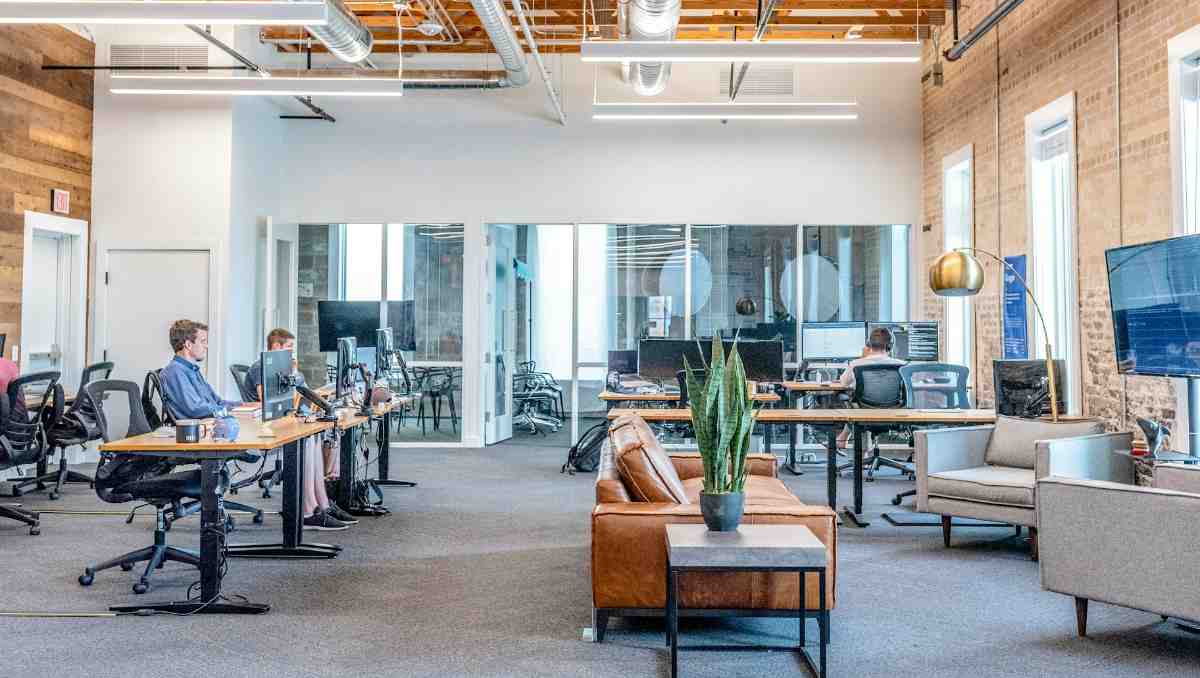
Modern workplaces are no longer built around rows of identical office cubicles. Today’s offices need to support collaboration, focus, and employee well-being all at once. That is why office space planning has become one of the most important parts of designing a workplace. A well-planned office does more than improve appearance. From modern desks to ergonomic seating, every furniture decision plays a direct role in how employees work and feel throughout the day.
Key Takeaways:
- Office space planning helps businesses improve workflow, employee comfort, and workspace efficiency.
- A well-planned workspace aligns layout, workflow, and employee needs to improve efficiency.
- Modern desks and ergonomic furniture support healthier work habits while improving productivity.
This guide explains how to design an office layout that supports collaboration, focused work, employee comfort, and long-term flexibility using modern desks and ergonomic furniture.
What Is Office Space Planning?

Office space planning is the process of organizing a workspace to improve functionality, comfort, efficiency, and workflow. It involves arranging desks, furniture, equipment, pathways, and collaboration areas in a way that supports how employees actually work each day.
The goal of office space planning is not simply to fit more desks into a room. A successful layout creates a healthier and more adaptable work environment that supports communication and long-term business growth. Whether designing a small office or a large corporate floor, strategic planning helps businesses avoid cluttered layouts, and uncomfortable workstations. In modern workplaces, it also takes into account hybrid work models, flexible office furniture, and the need for technology-integrated spaces that support both in-person and remote collaboration.
How to Plan an Office Space With Modern Desks and Ergonomic Furniture
Planning an office requires more than choosing attractive furniture. Here’s how to plan an office space with ergonomics in mind:
1. Assess Your Office Space and Workflow Needs
Before selecting furniture or creating a strategic layout, evaluate how your team uses the office each day. Some businesses require collaborative furniture and open communication areas, while others need quiet zones for focused tasks and private meetings.
Start by identifying employee roles, daily movement patterns, storage solutions, and technology requirements. Pay attention to high-traffic areas and spaces that may become crowded during peak hours. This helps prevent bottlenecks and improves overall workflow efficiency.
2. Create Functional Zones for Productivity
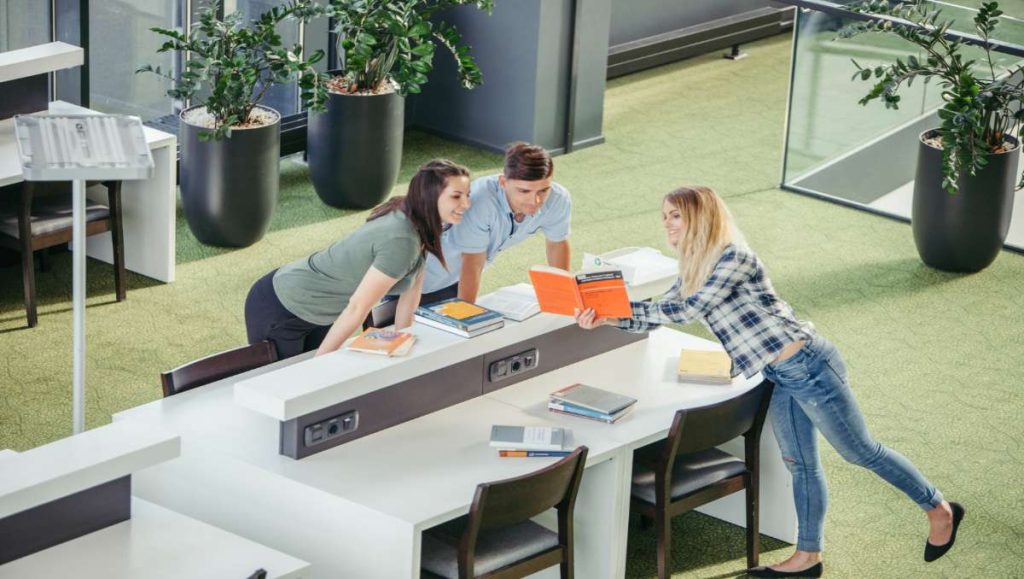
Dividing the office into functional zones helps employees work more effectively throughout the day. Different tasks require different environments, and separating these areas can reduce distractions while improving workflow.
Common office zones may include:
- Collaborative meeting spaces
- Quiet focus areas
- Reception and client-facing areas
- Break rooms and wellness spaces
- Storage solutions and printing areas
Each of these zones benefits from different acoustic strategies. For example, collaboration areas may use sound-absorbing panels and carpeting to reduce echo, reception or client-facing areas may include modular storage to keep products or materials organised and accessible, while quiet zones often require additional sound insulation, acoustic partitions, or strategic placement away from high-traffic areas.
3. Choose Modern Desks That Fit Your Office Style
Modern desks play a central role in how efficiently an office functions, so choosing them should go beyond style alone. A well-designed desk supports posture, keeps essential tools within reach, and helps maintain an organized, distraction-free workspace throughout the day.
When selecting desks, it’s important to consider how the workspace will actually be used. For example, shared or flexible work environments benefit from modular desks that can be reconfigured easily, while individual workstations often require more surface area and built-in storage. Features like cable management systems, ergonomic height options, and durable materials can also make a significant difference in daily comfort and long-term usability.
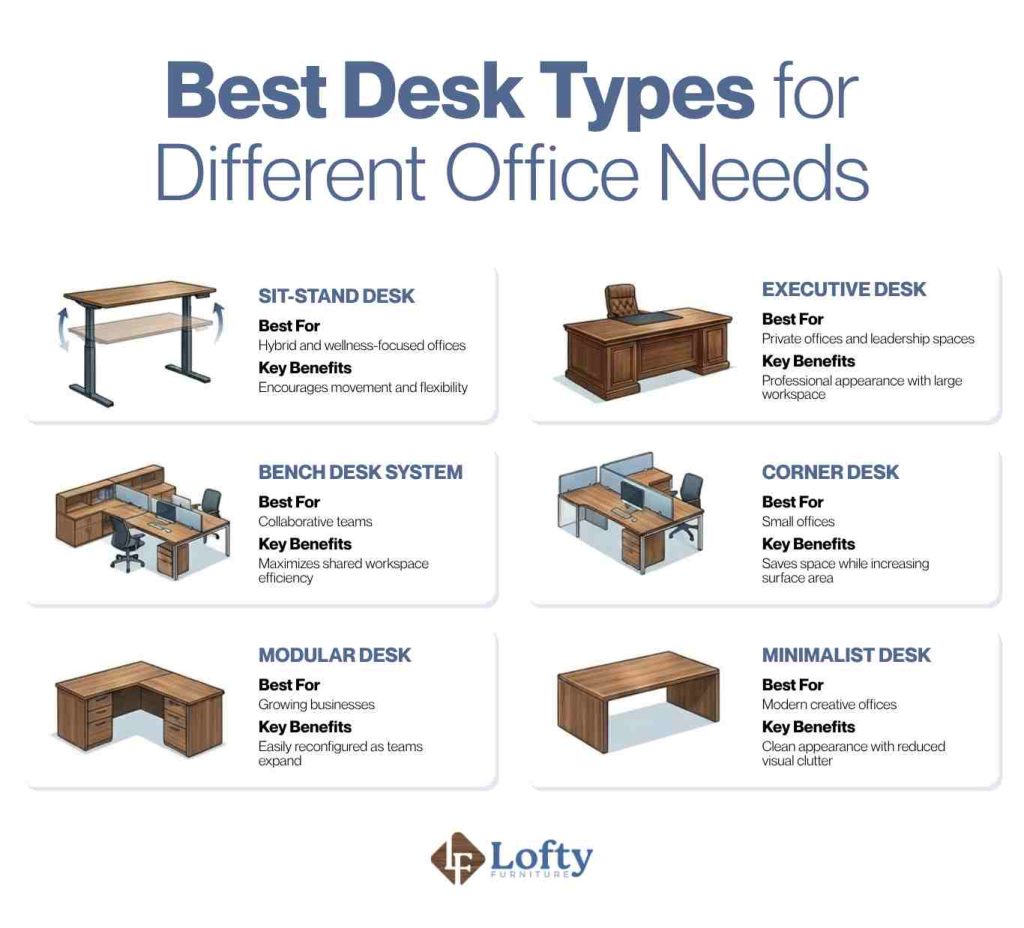
Different office environments benefit from different desk styles. Here is a quick comparison of the best desk types for various workplace needs.
4. Invest in Ergonomic Furniture for Employee Comfort
Ergonomic furniture is designed to support natural posture and reduce physical strain during long work hours. This includes adjustable office chairs, monitor arms, keyboard trays, and desks that promote healthier positioning.
We often encourage businesses to prioritize adjustable seating and proper desk height before investing in decorative office upgrades. Comfort directly impacts employee experience and performance.
5. Design a Flexible and Future-Ready Workspace
Modern offices need to adapt quickly to changing work styles and team structures, making flexibility a key part of effective space planning. Movable furniture, modular desks, and reconfigurable meeting areas make it easier to support hybrid work, shifting team sizes, and project-based collaboration. This approach also ensures the workspace can accommodate future technology upgrades and changing operational needs.
6. Set a Practical Budget
Office space planning budgets should account for both immediate furniture needs and long-term operational value. While it may be tempting to prioritize lower upfront costs, durable and ergonomic furniture often delivers better long-term returns through improved productivity, reduced maintenance, and longer product lifespan.
The cost factors to consider include:
- Furniture quality
- Installation
- Maintenance
- Warranty coverage
Take the first step toward a more dynamic workplace by exploring our executive lift desk collection today and upgrading your office design.
Benefits of Modern Desks and Ergonomic Furniture
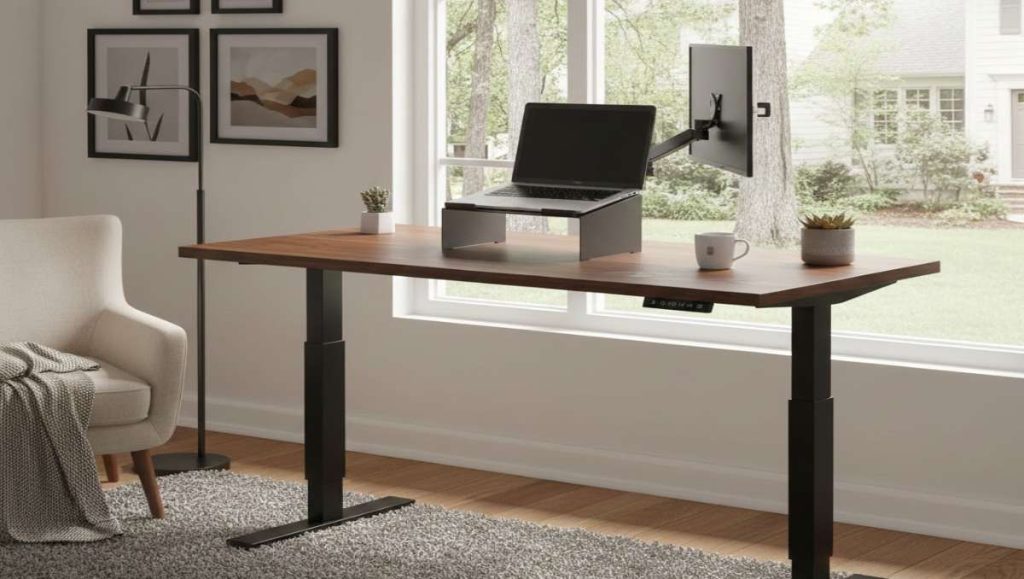
Modern office furniture plays a direct role in how effectively a space is planned and functions on a daily basis. Ergonomic desks and seating support healthier posture, reduce fatigue, and minimize strain caused by long hours of desk work. From a space planning perspective, well-chosen furniture also helps define clear workflows, improve circulation, and reduce visual and physical clutter, making the overall layout more efficient and easier to navigate.
These choices also have measurable impacts on productivity and long-term operational efficiency. Studies, including research from the University of Warwick, have shown that well-being in the workplace can significantly boost productivity. At the same time, investing in durable, ergonomic, and adaptable furniture supports smarter space planning by reducing turnover costs, minimizing frequent reconfigurations, and extending the usable life of the office layout.
Office Layout Ideas for Modern Workspaces
Every business operates differently, which means there is no universal office layout that works for everyone. Here are common office layout ideas:
Open Office Layouts
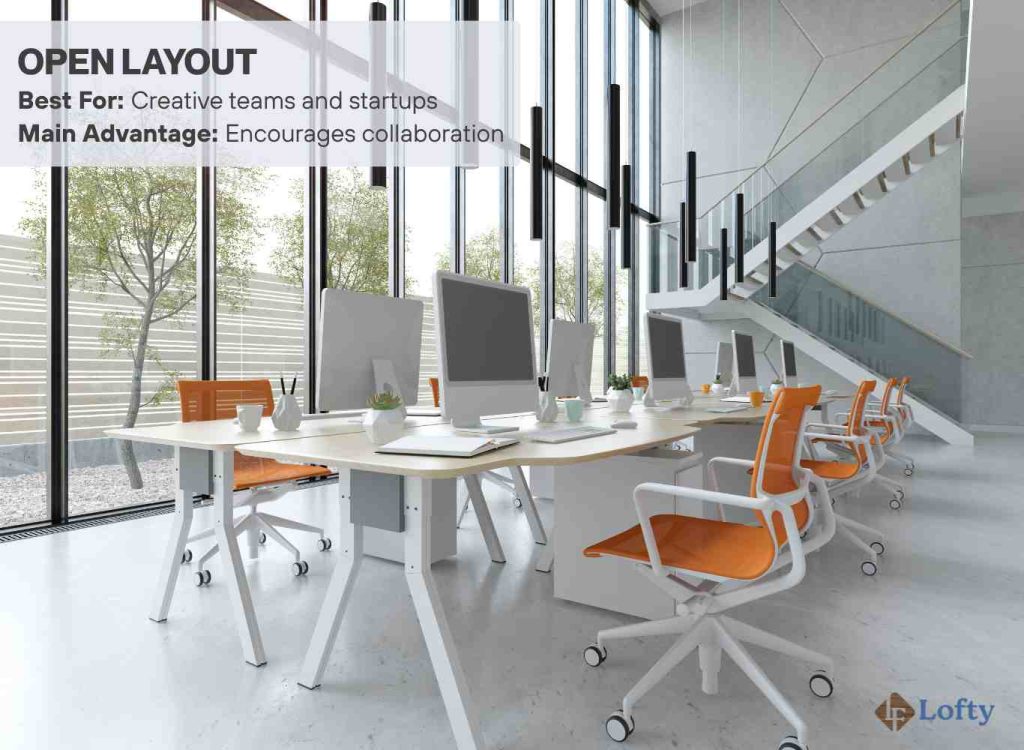
Open office layouts remove physical barriers between employees to encourage communication and collaboration. These layouts work well for creative teams, startups, and fast-paced collaborative environments.
Hybrid Office Layouts
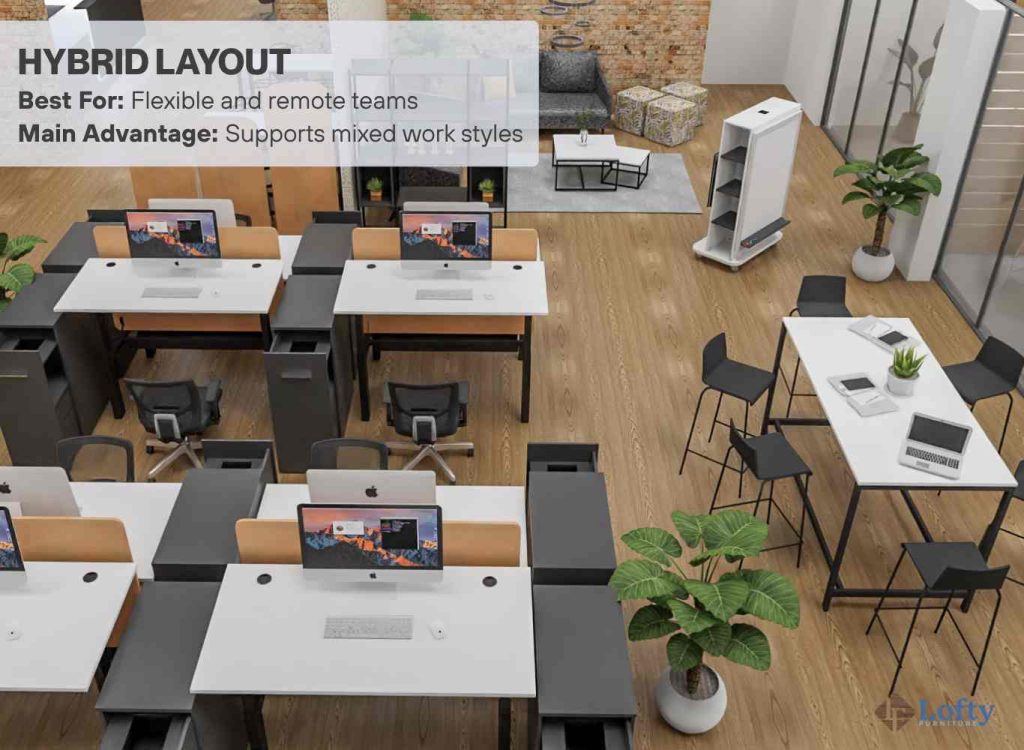
Hybrid layouts combine open collaboration spaces with private workstations and remote-friendly features. These offices support flexible schedules and accommodate employees who split time between home and the office. Hybrid layouts often include shared desks, reservable meeting rooms, and technology-equipped collaboration spaces.
Private and Semi-Private Office Layouts
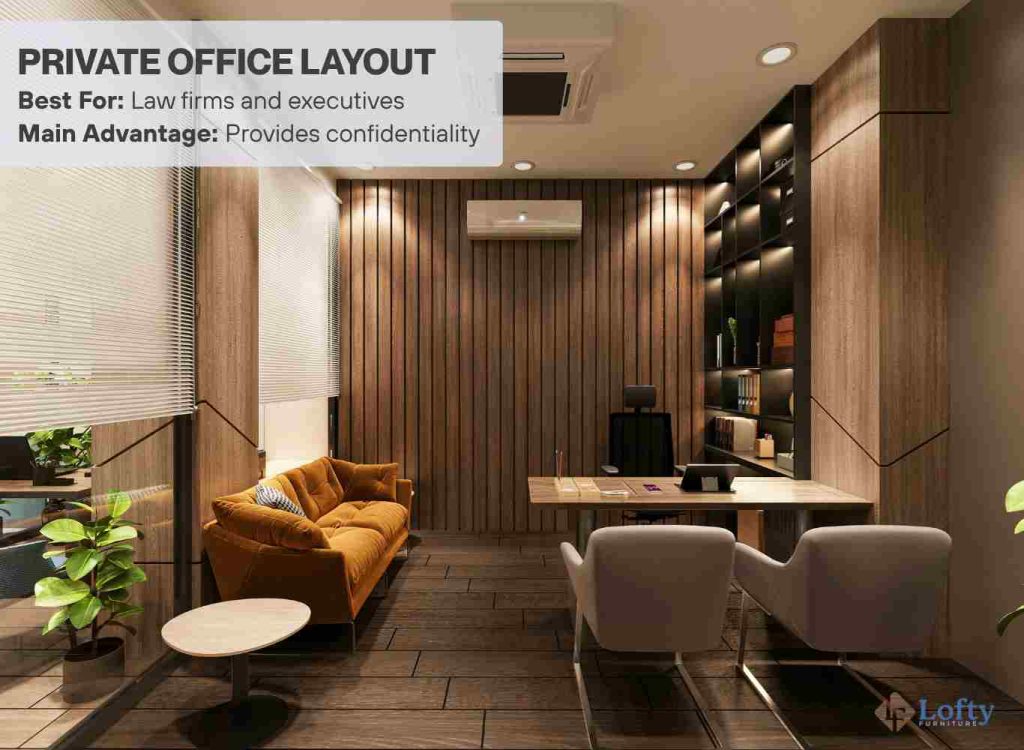
Private offices provide quiet and focused work environments for leadership teams, client meetings, or roles requiring confidentiality. Semi-private layouts use partitions, acoustic panels, or glass dividers to balance privacy with openness. These setups work well for professional services and administrative teams.
Small Office Minimalist Layout
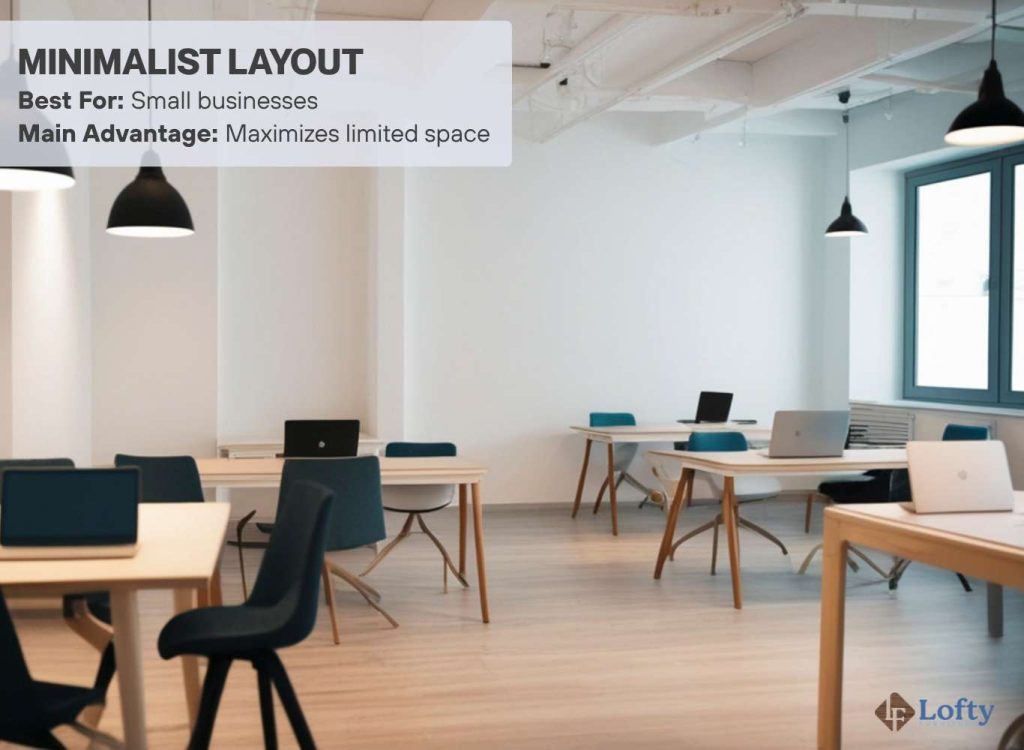
Minimalist setup focuses on simplicity, functionality, and efficient use of limited space. Compact desks, wall-mounted or built-in storage, and streamlined furniture help smaller offices feel more open and organized. For example, a two-person startup office might use shared workstations with under-desk storage instead of bulky filing cabinets, while a home office setup may rely on a floating desk paired with vertical shelving to maximize floor space.
Activity-Based Workspace Layouts
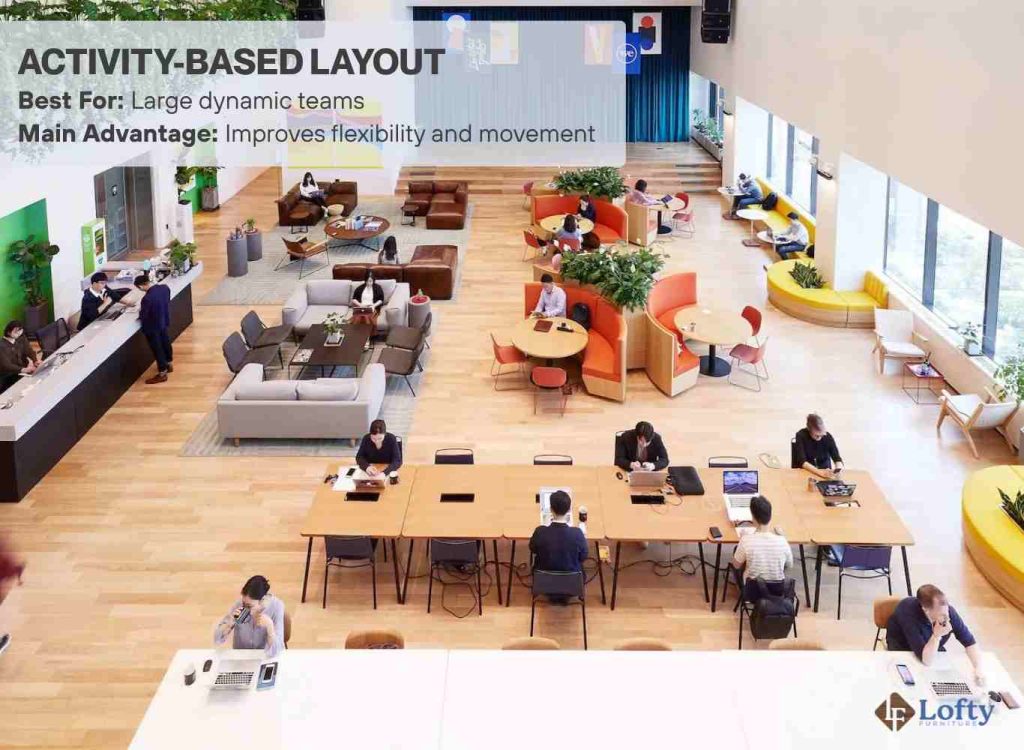
Activity-based workspaces are designed around different types of tasks rather than assigned seating. Employees move between collaboration zones, quiet areas, lounges, and meeting rooms depending on their current work needs. This approach supports flexibility and encourages employees to use spaces more intentionally throughout the day.
Conclusion: Designing a Resilient Workplace
Strategic office space planning helps businesses create workplaces that are efficient, comfortable, and adaptable for the future. A thoughtfully designed office improves workflow, supports employee wellness, and helps teams perform at their best.
Modern desks and ergonomic furniture play a major role in shaping how employees experience the workplace every day. From improving posture to supporting collaboration, the right furniture choices contribute directly to productivity and long-term operational success.
Frequently Asked Questions
What are the best practices in space planning for an office space?
The best practices include analyzing workflow needs, creating functional zones, maximizing natural movement paths, and using ergonomic furniture that supports employee comfort and productivity.
How do I calculate how much office space I need?
Start by evaluating the number of employees, workstation sizes, meeting areas, storage needs, and shared spaces. Most businesses also leave room for future growth and flexible work arrangements.
What is the ideal office desk setup for employee ergonomics?
An ergonomic desk setup should allow employees to keep monitors at eye level, maintain relaxed shoulders, position wrists comfortably, and sit with proper lumbar support and foot placement.
What ergonomic furniture features matter most in modern offices?
Important ergonomic features include adjustable chair height, lumbar support, monitor positioning, height-adjustable desks, armrests, and flexible workstation configurations.