
In today’s world, many people spend long hours sitting at desks, whether working from home, in an office, or gaming. Prolonged sitting in poorly designed chairs can lead to various health issues, including back pain, neck strain, and even long-term musculoskeletal problems. Understanding the ergonomic chair meaning is essential: these chairs are specifically designed to provide support and promote, significantly reducing the risk of discomfort and injury.
Key Takeaways:
- Ergonomic chairs support your spine’s natural shape, helping you sit upright and prevent back, neck, and shoulder pain from long hours at a desk.
- A good ergonomic chair lets you adjust the seat height, backrest, armrests, and lumbar support so it fits your body perfectly.
- By improving posture and blood flow, ergonomic chairs make it easier to stay focused, reduce fatigue, and work or game longer without discomfort.
This article walks you through the meaning and benefits of an ergonomic chair, key features to look for, and how to choose the perfect one for your needs.
What is an Ergonomic Chair?
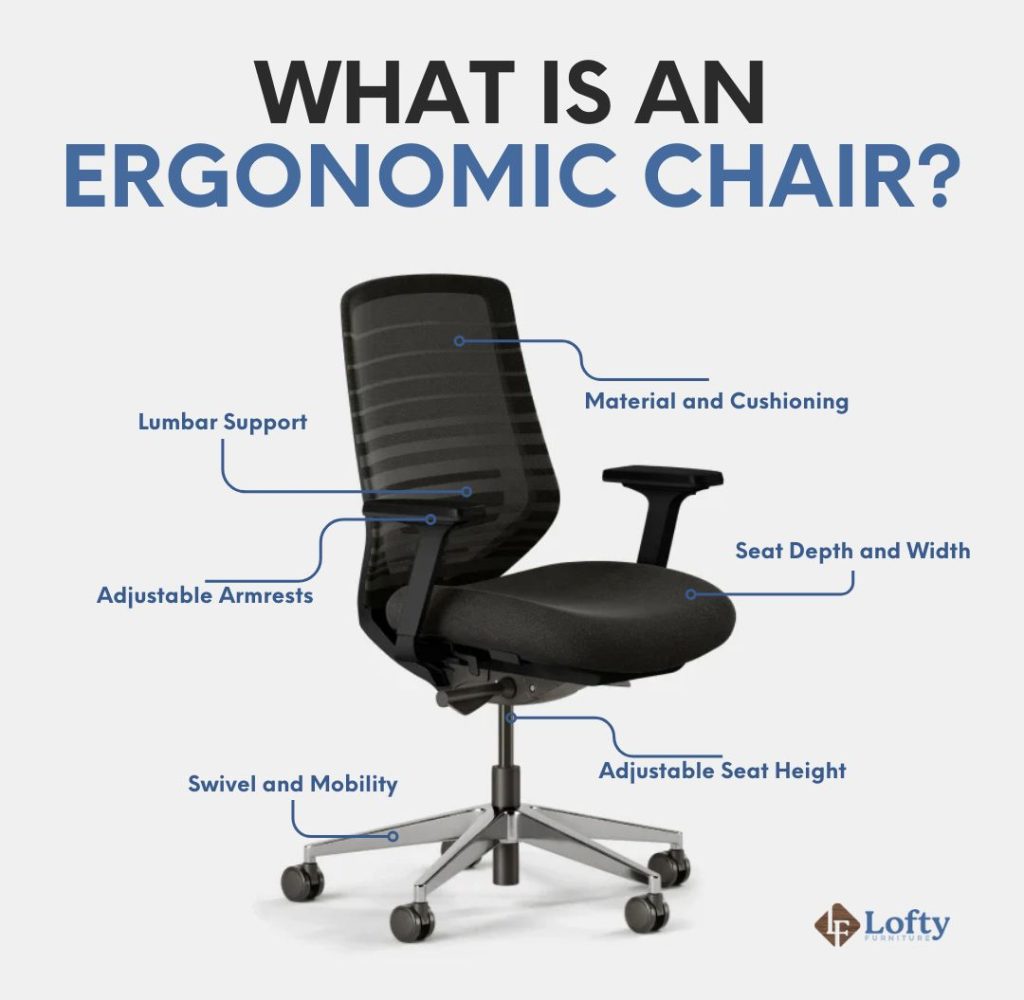
An ergonomic chair is more than just a seat; it’s designed to support your body comfortably, encourage good posture, and provide lasting comfort—essential for those who spend many hours at a desk. Ergonomics in furniture design focuses on customizing your workspace to meet your specific physical needs, reducing the risk of strain and injury. By using an ergonomic chair, you not only increase your comfort but also boost your productivity and overall well-being as you work.
The Different Types of Ergonomic Chairs
1. Office Ergonomic Chairs
These chairs are designed for traditional office environments, offering support for long workdays and helping maintain proper posture.
Task Chairs
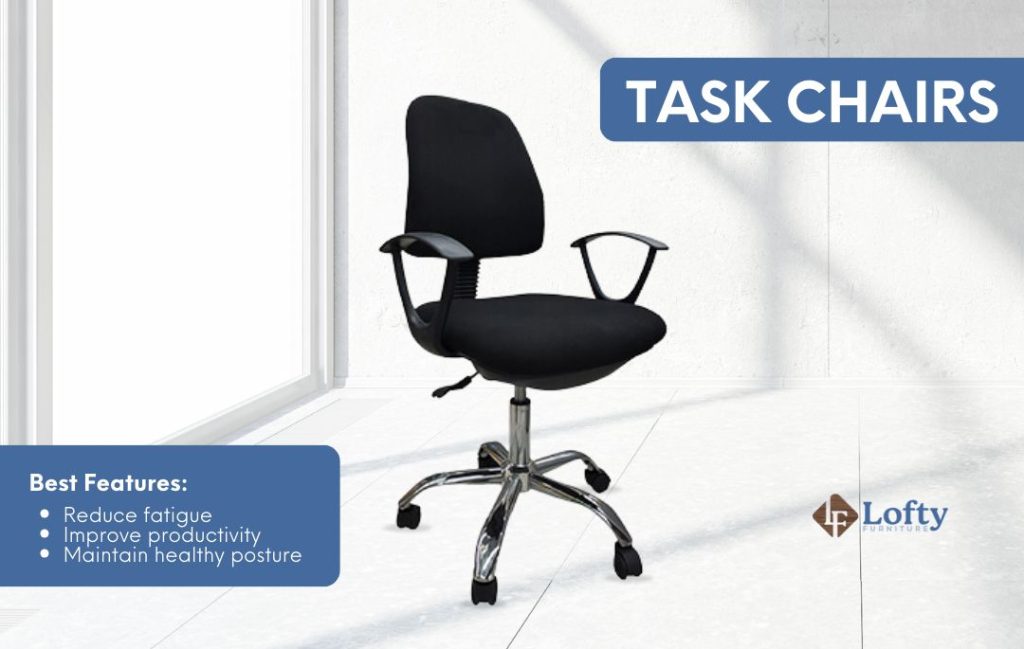
Task chairs provide essential ergonomic features like adjustable height, lumbar support, and swivel functionality. They help reduce fatigue and support healthy posture during extended desk work.
Executive Chairs
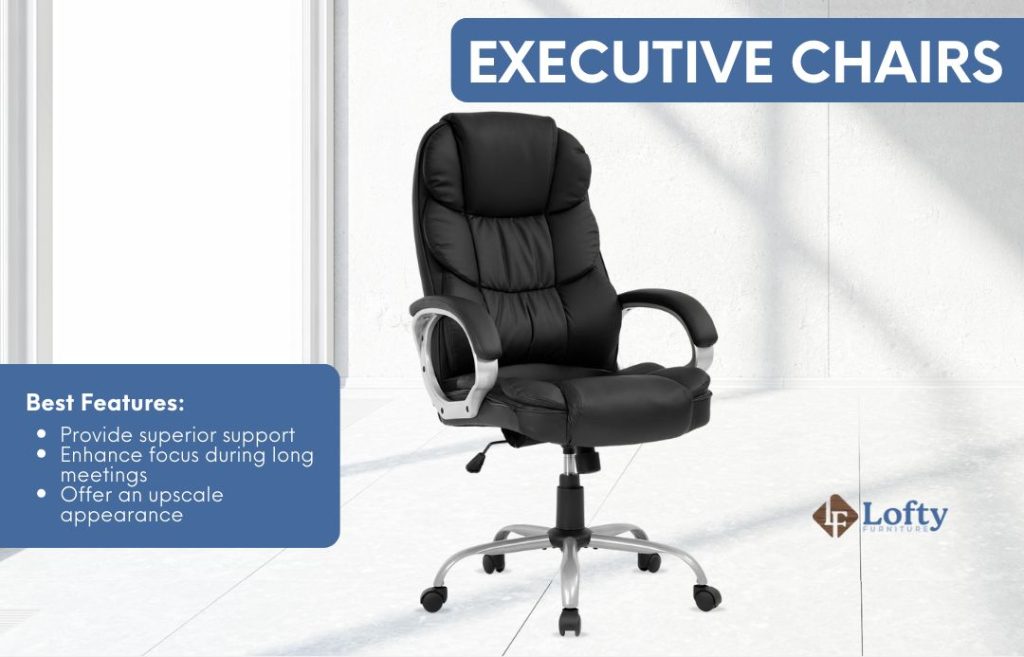
Executive chairs combine comfort and style with features like a high backrest, padded armrests, and luxurious materials. They provide superior support and are designed for extended use in executive offices, keeping you comfortable and focused during long meetings.
2. Gaming Ergonomic Chairs
Built for long gaming sessions, these chairs focus on comfort, support, and adjustability.
Racing Style Chairs
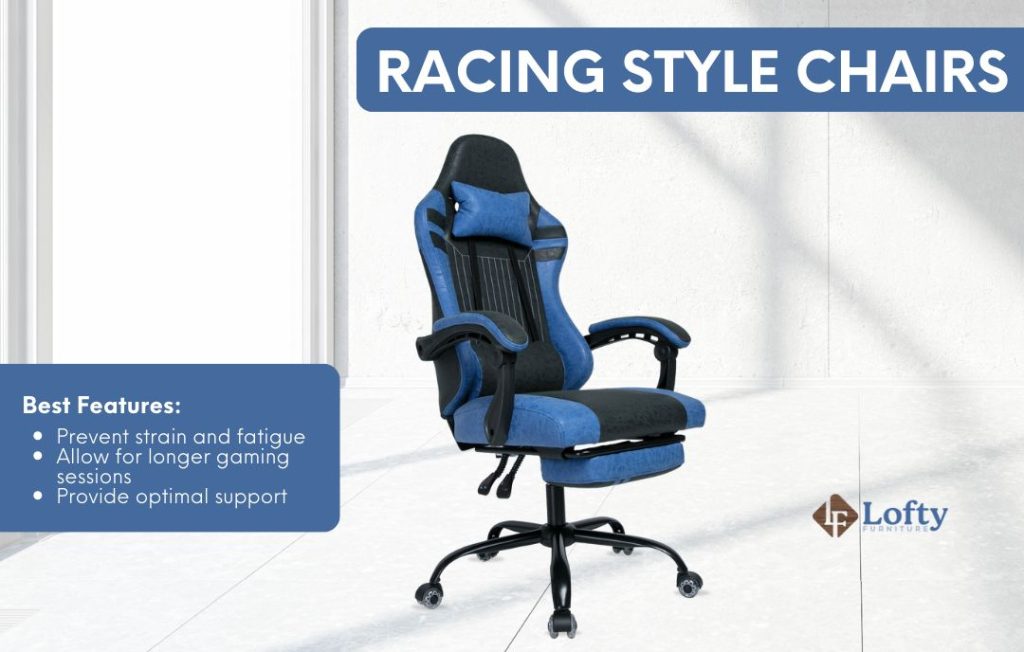
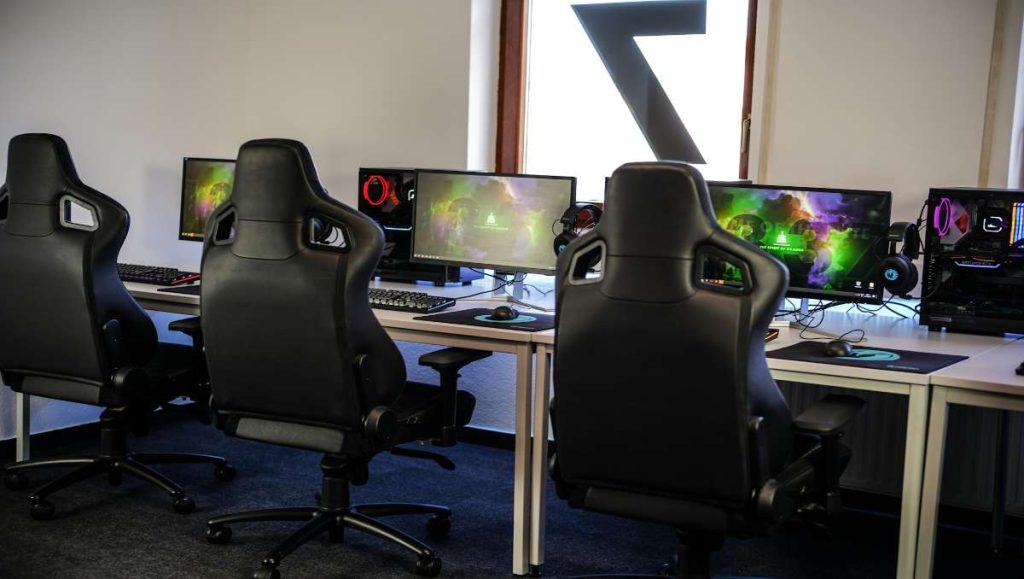
Designed for gamers and inspired by race car seats, these chairs feature bucket seating, high backs, and adjustable armrests. They offer a snug fit that helps reduce strain and maintain comfort for hours.
Rocking and Reclining Chairs
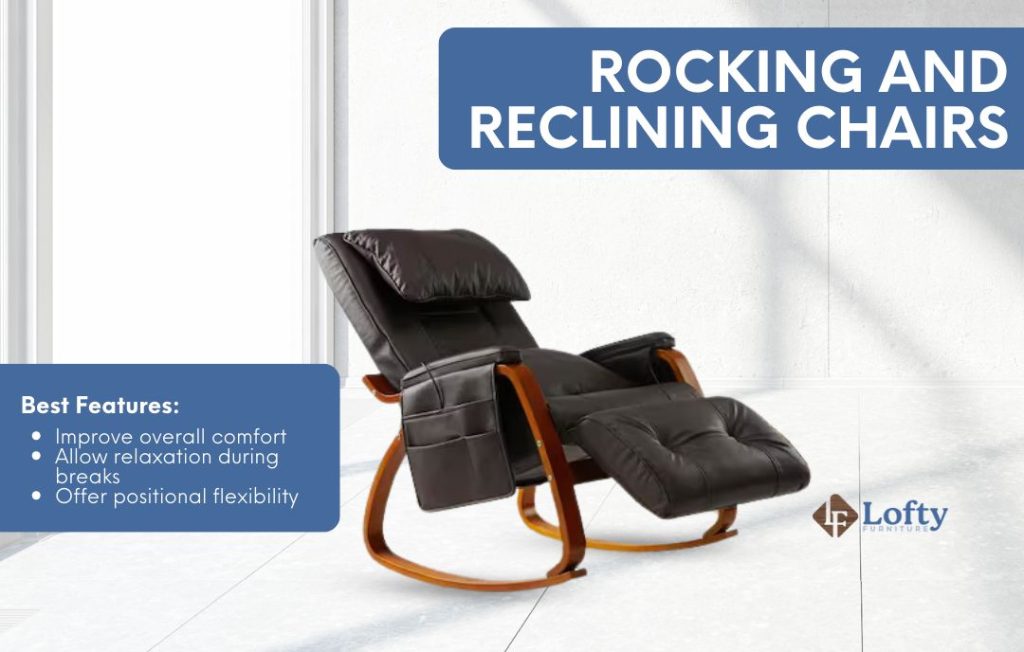
These chairs allow gamers to recline, rock, and relax during breaks. Integrated footrests and flexible reclining angles enhance overall comfort and reduce tension.
3. Traditional Kneeling Chairs
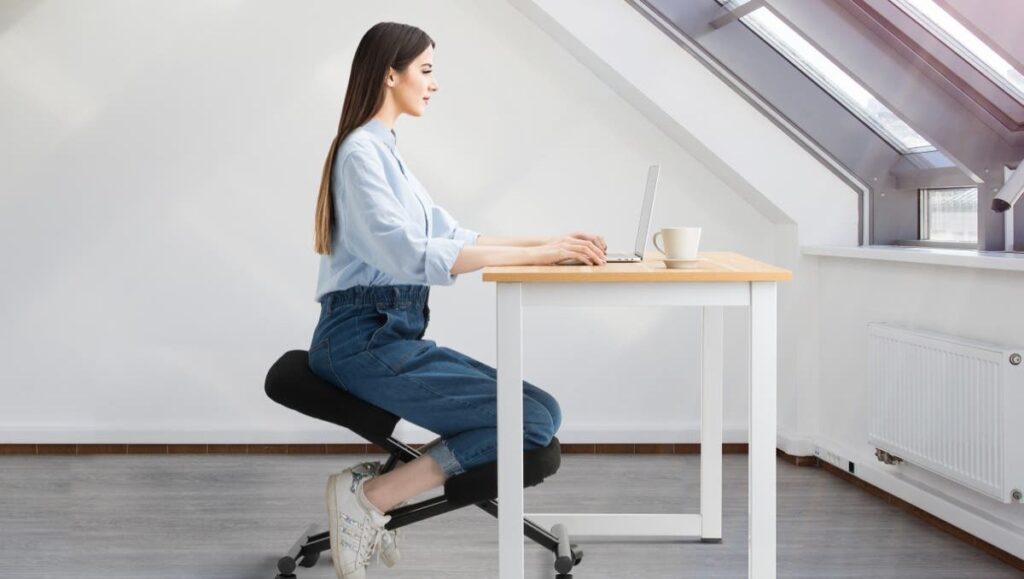
Kneeling chairs promote an upright spine alignment and shift some weight to the shins, offering an alternative to traditional sitting.
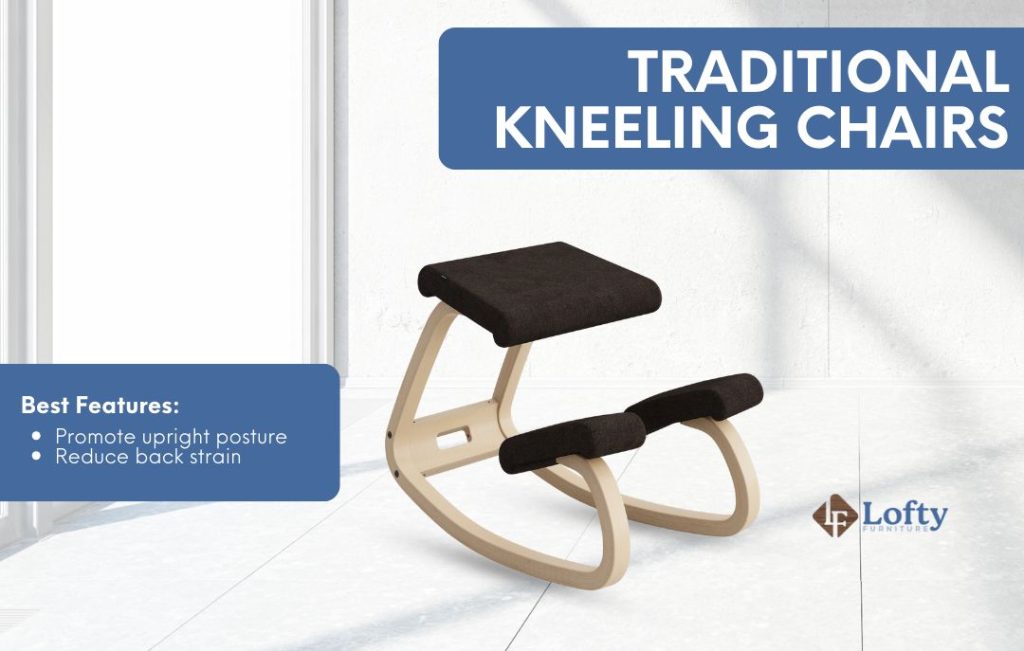
Traditional kneeling chairs promote an upright posture by having you sit with your thighs angled downward and your shins supporting some of your weight. This can reduce back strain and improve posture during long sitting periods. Benefits include promoting an upright posture and reducing back strain. To learn how to use this type of chair correctly, read this guide on the best way to sit on a kneeling chair.
Rocking Kneeling Chairs
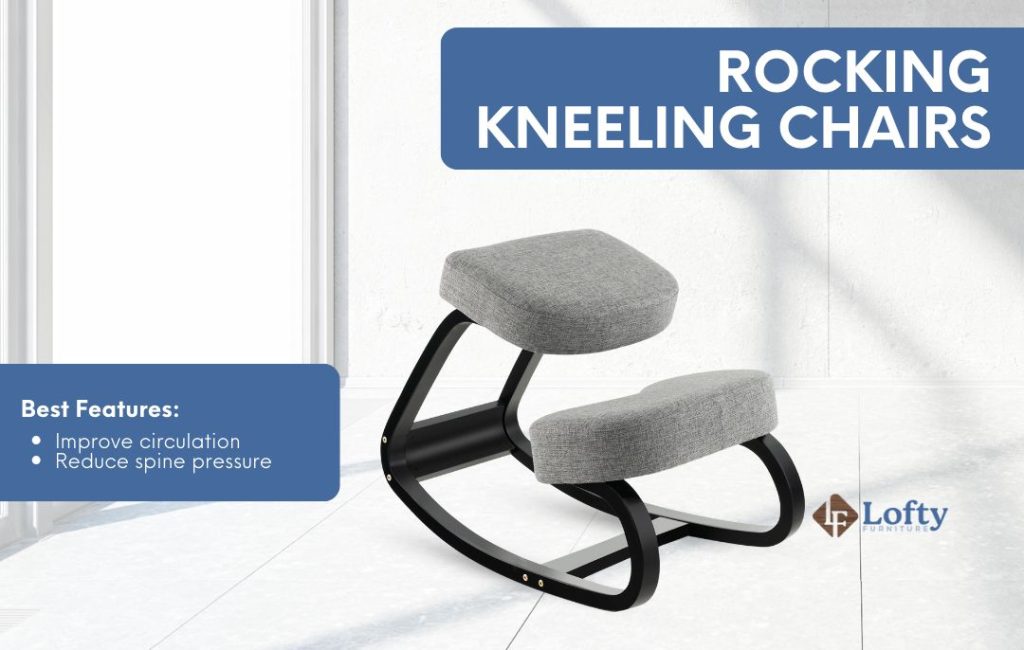
Adding a rocking base enhances circulation and reduces spinal pressure. The gentle movement from this ergonomic kneeling chair encourages active posture and improved comfort.
4. Saddle Ergonomic Chairs
Saddle chairs encourage natural spinal alignment and active sitting by positioning the user similarly to horseback riding.
Standard Saddle Chairs
With a saddle-shaped seat and no backrest, these chairs promote active sitting and help maintain a natural upright position, reducing strain from prolonged sitting.
Split-Saddle Chairs
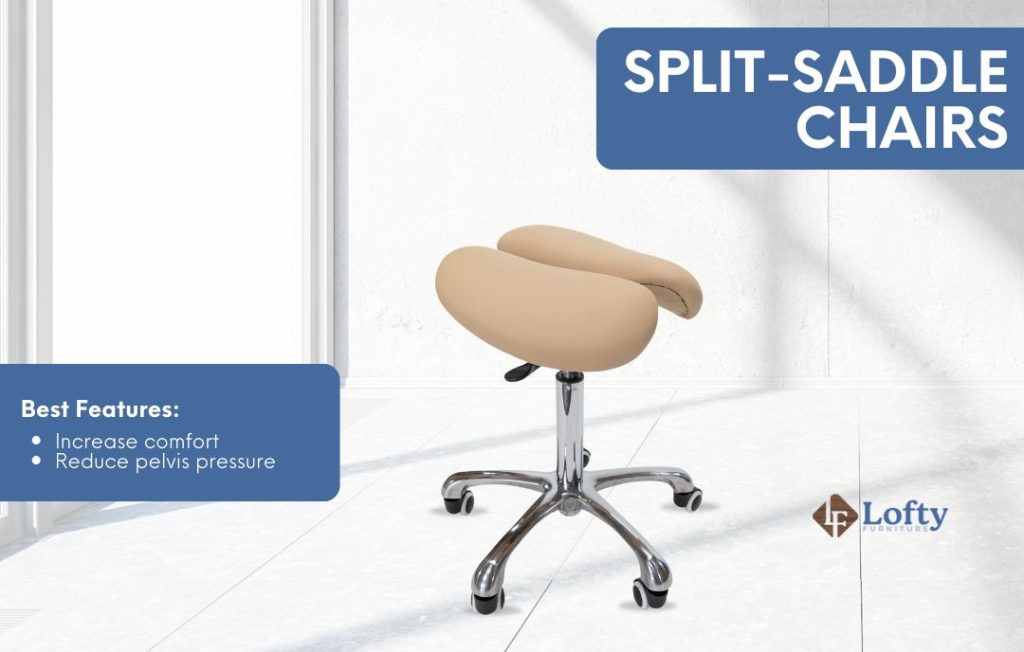
The divided seat design distributes weight evenly, reducing pelvis pressure and increasing comfort during extended use.
5. Active Sitting Chairs
These chairs promote continuous, micro-level movement to engage the body and reduce stiffness.
Swopper Chairs
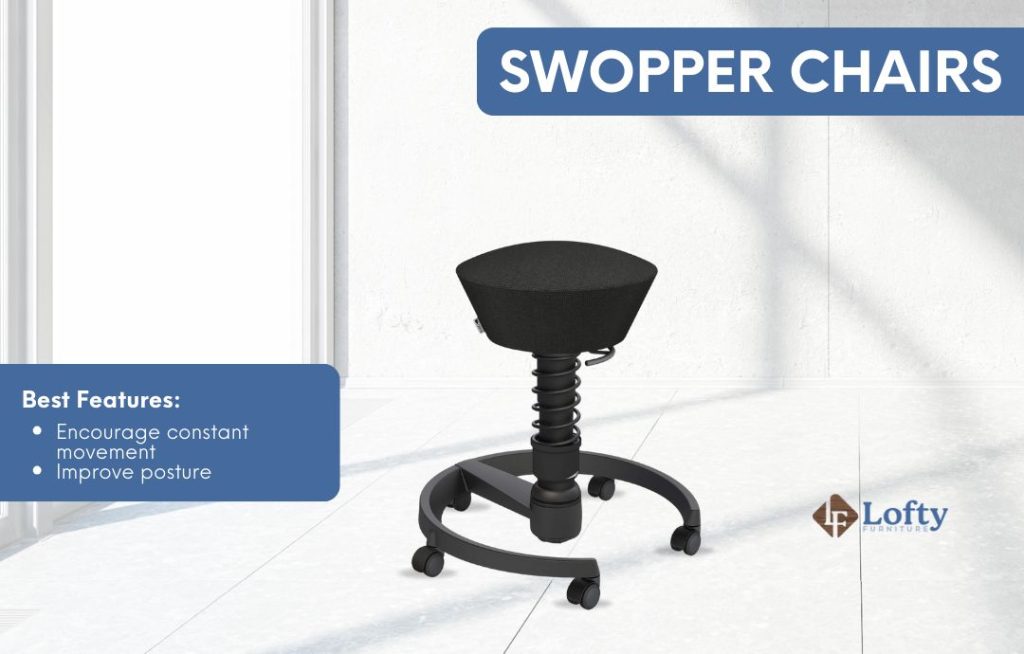
Featuring a spring-loaded base, swopper chairs encourage multidirectional movement that keeps users active and supports healthy posture.
Wobble Stools
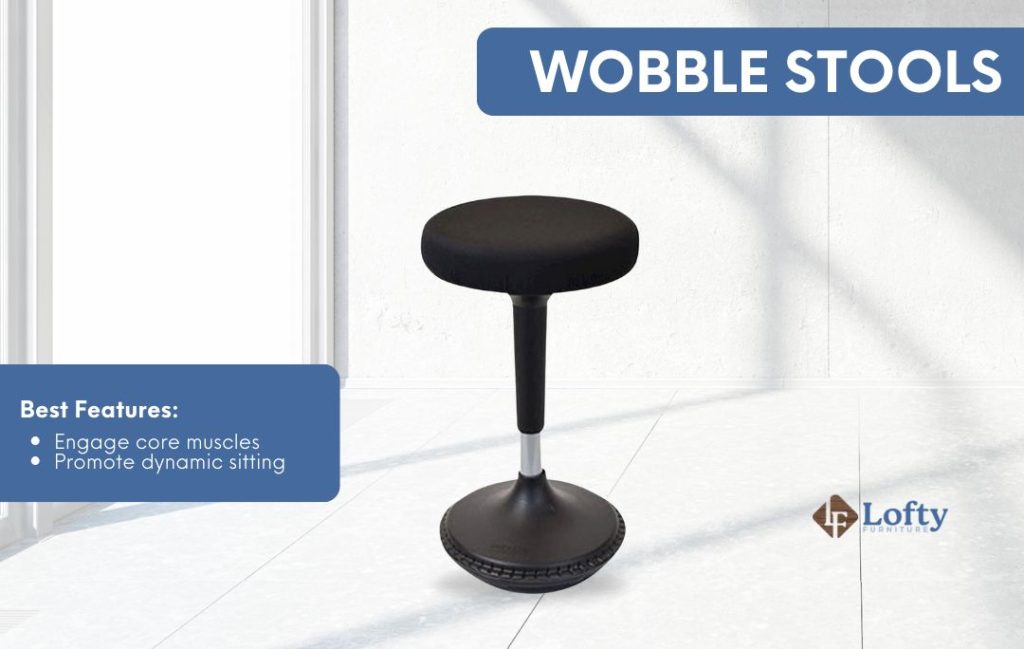
With rounded bases for 360-degree motion, wobble stools activate core muscles and support dynamic sitting to reduce discomfort.
6. Balance Ball Ergonomic Chairs
Balance ball seating encourages gentle, continuous movement, activating core muscles and improving posture.
Standard Balance Ball Chairs
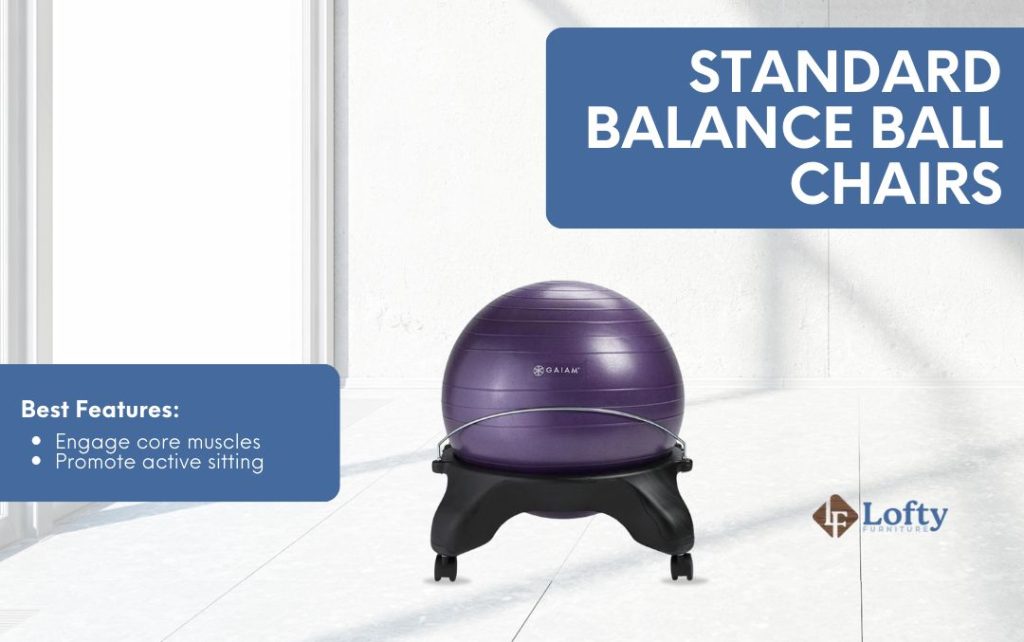
These integrate a stability ball into a frame, promoting active sitting through subtle balance adjustments.
Balance Ball Chairs with Backrest
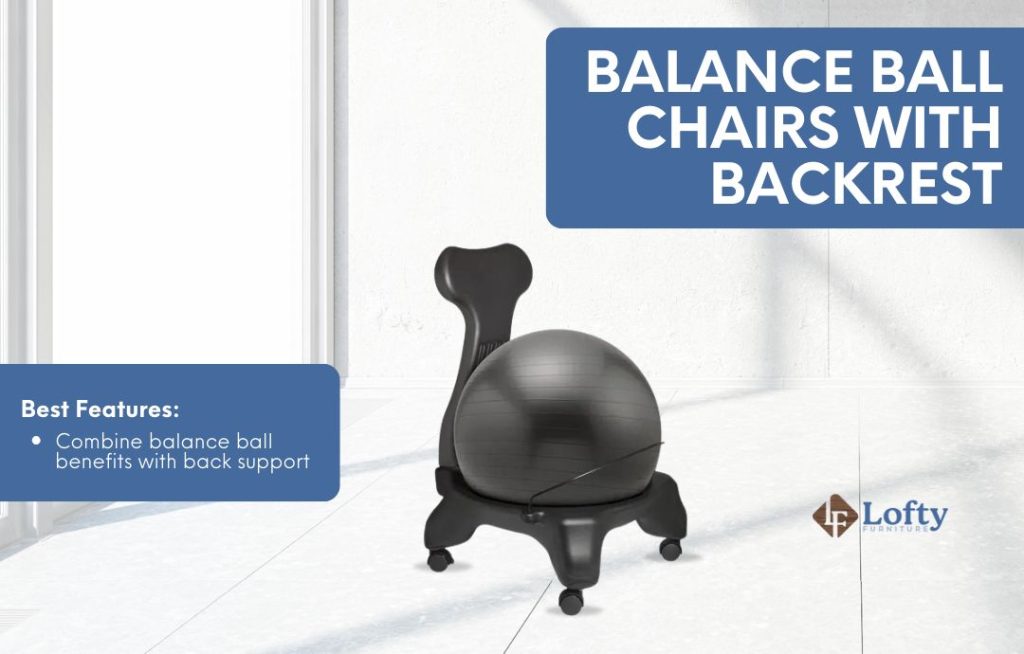
Combining the benefits of balance ball seating with added back support, these chairs offer active sitting with extra comfort and stability.
7. Recliner Ergonomic Chairs
Designed for relaxation and therapeutic benefits, these chairs support full-body comfort.
Standard Recliners
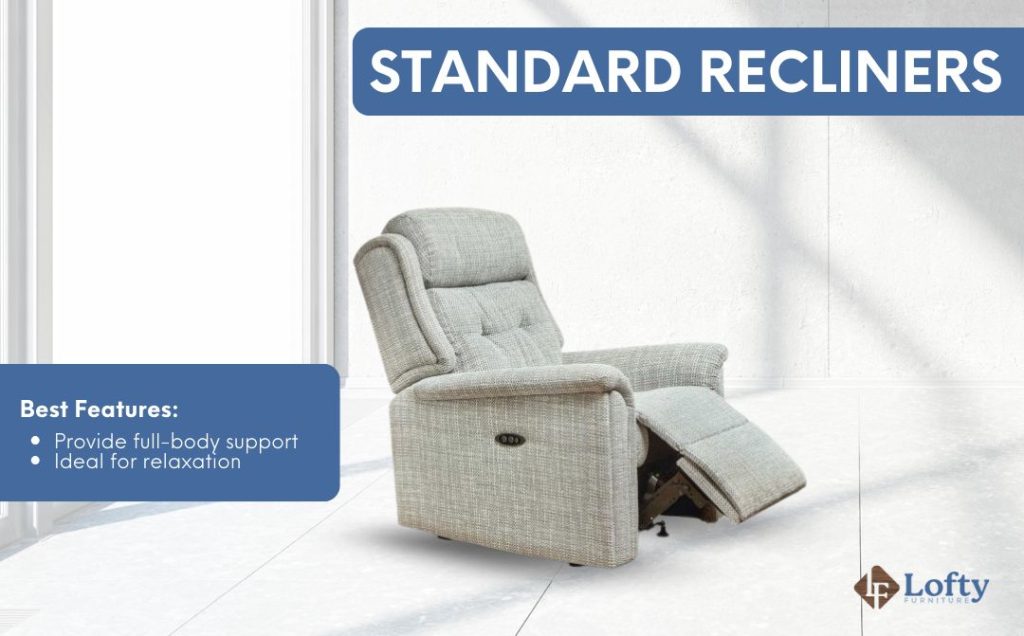
Offering adjustable reclining positions and footrests, these chairs provide full-body relaxation and help reduce stress.
Zero Gravity Recliners
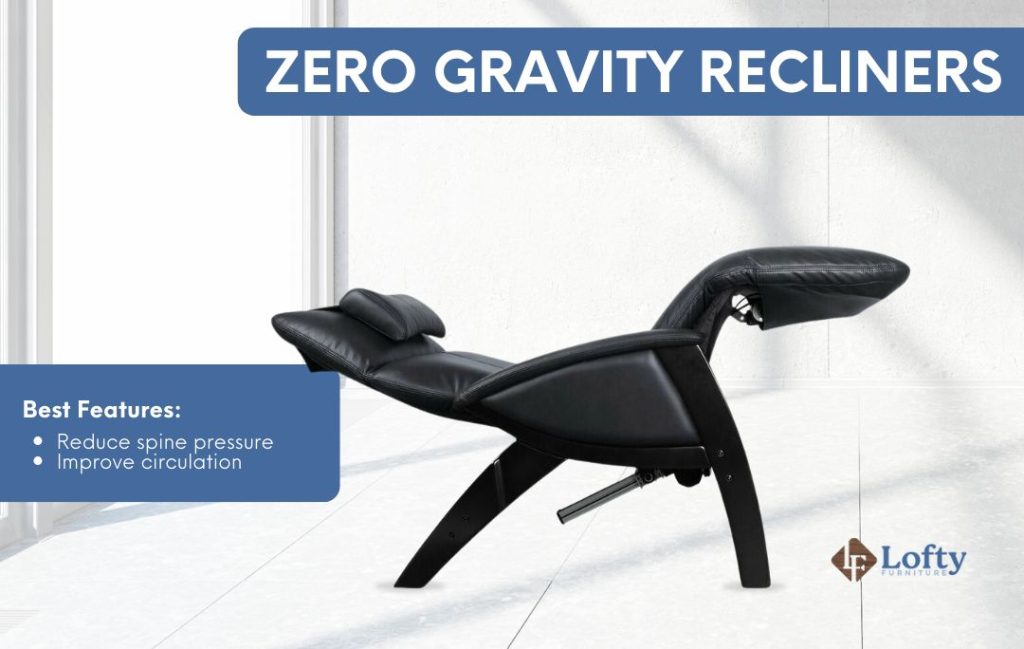
By elevating the feet and opening the hip angle, these chairs reduce spinal pressure and improve circulation—ideal for therapeutic comfort.
8. Ergonomic Stools
Stools are ideal for partial standing positions, especially when used with standing desks.
Perching Stools
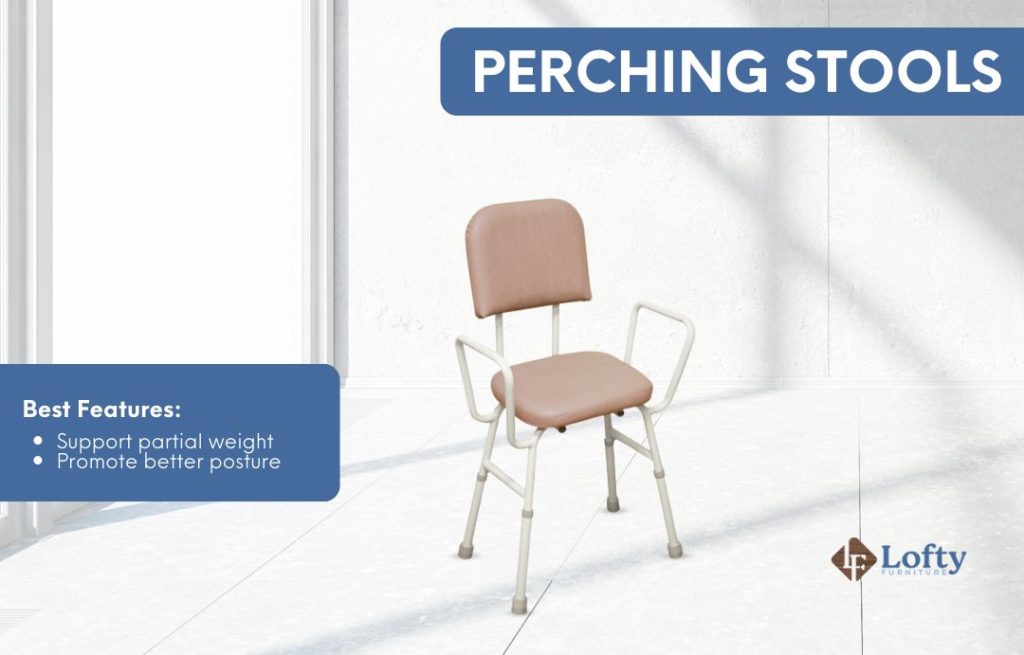
Height-adjustable and supportive, these stools reduce fatigue by allowing users to rest partially while maintaining an active working posture.
Sit-Stand Stools
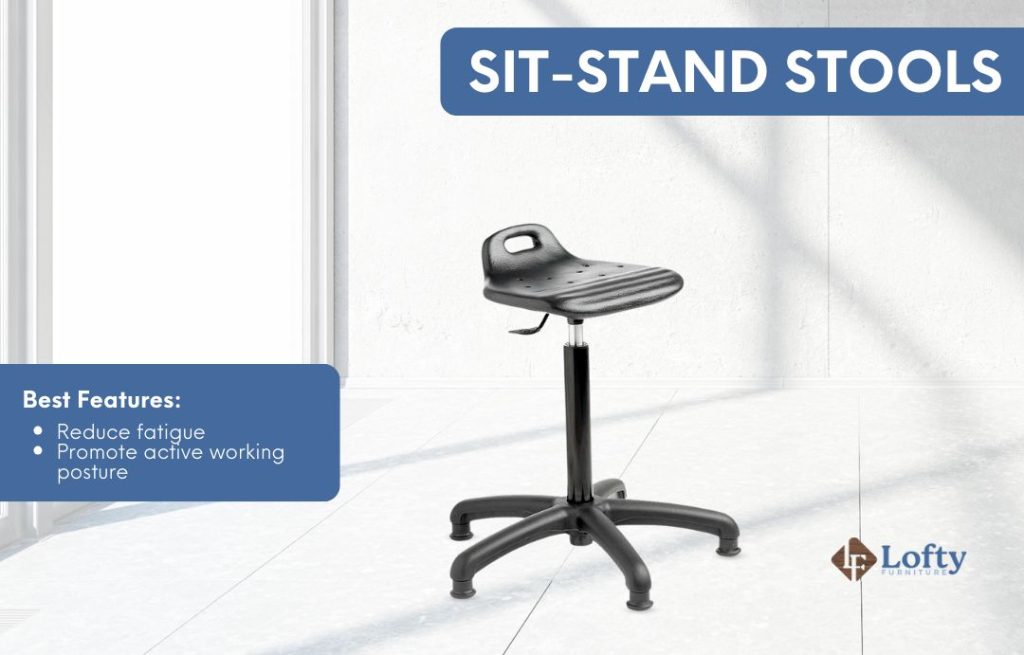
In a research study, sit-stand stools were shown to support alternating between sitting and standing, reducing fatigue and promoting an active working posture. They offer flexibility and support throughout the workday, helping to minimize discomfort and improve overall movement.
How to Choose the Best Ergonomic Chair for You
Choosing the right ergonomic chair is essential for your comfort, health, and productivity. Here are some key steps and factors to help you find the perfect fit.
Assess Your Individual Needs
Start by considering your body type and work environment. Are you tall or short? Do you have specific areas of discomfort, like your lower back or neck, or hips? For example, If hip pain is a concern, it’s important to look for the best office chair for bad hips to ensure proper cushioning and joint support.
Understanding your unique needs will help you narrow down the options. Additionally, think about your workspace. Do you have a traditional desk, a standing desk, or a hybrid setup? Different chairs work better in different settings.
Adjustability
Look for chairs with multiple adjustable features. Seat height, backrest, armrests, lumbar support, and tilt tension should all be adjustable to fit your body perfectly. An adjustable chair can accommodate different tasks and allow you to change your posture throughout the day, which is important for avoiding strain and maintaining comfort.
John Jones, CEO at Sell My House Fast Now, emphasizes the importance of these features:
“Regarding office chairs, it is vital to look for adjustable height and arm supports, a seat that encourages a neutral posture, and a backrest promoting natural spine alignment. Prioritizing these aspects forms the foundation of a truly ergonomic chair that can minimize pain and discomfort during extended work hours.“
Lumbar Support
Proper lumbar support is essential to prevent lower back pain. Make sure your chair supports the natural curve of your spine. According to a study on NCBI, proper lumbar support helps maintain spinal alignment and reduces discomfort.
Material and Cushioning
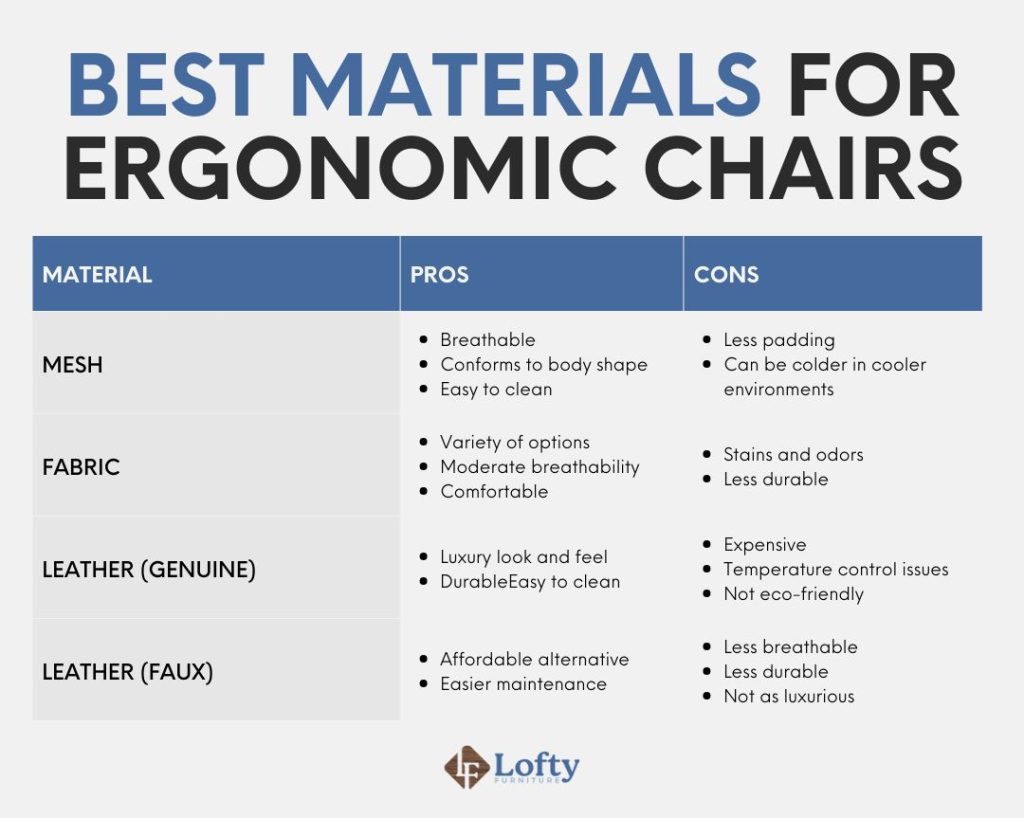
The material of the chair should be breathable to keep you cool and comfortable, especially if you spend long hours sitting. The cushioning should be firm enough to provide support but soft enough to be comfortable. High-quality foam or mesh materials are often preferred for ergonomic chairs.
Here’s a look at the best materials for ergonomic chairs you can consider:
Seat Depth and Width
Ensure the seat is deep and wide enough to support you comfortably. There should be a gap of about 2-4 inches between the edge of the seat and the back of your knees. Some chairs have adjustable seat depth, which can be a valuable feature for finding the right fit.
Mobility
If you need to move around your workspace frequently, consider a chair with a swivel base and smooth-rolling casters. This allows you to reach different areas of your desk without straining.
Durability and Warranty
Investing in a durable chair that comes with a good warranty is wise. Look for chairs made from high-quality materials and check the manufacturer’s warranty policy. A longer warranty period can give you peace of mind about the chair’s longevity and quality.
Style and Aesthetics
While functionality is crucial, the chair’s aesthetics and style should also complement your workspace. A chair that looks good and fits well with your office decor can create a more pleasant and motivating work environment.
Benefits of Using an Ergonomic Chair
Using an ergonomic chair offers numerous health benefits, enhancing your comfort and overall well-being, especially if you spend long hours at a desk. Here’s a closer look at how an ergonomic chair can make a significant difference:
Improved Posture
One of the primary advantages of an ergonomic chair is its ability to promote better posture. According to a study by De Carvalho and Callaghan, features like lumbar support and seat pan tilt significantly enhance spine and pelvic alignment, encouraging a more neutral posture. These design elements help maintain the natural curve of your spine and reduce the tendency to slouch or hunch over your desk.
Michael Yerardi from Turning Point Home Buyers highlights this connection:
“Your choice of ergonomic office chairs determines posture accuracy; thus, investing in adjustable arms and lumbar support leads to better focus and less physical strain. Because of this, we strongly advocate for intelligently designed products that support both relaxation and productivity.“
Reduced Back Pain
Chronic back pain is a common issue for many office workers. Ergonomic chairs address this problem by providing proper lumbar support and distributing your weight evenly, which can alleviate pressure on your lower back. Studies have shown that using ergonomic chairs can lead to a significant reduction in back pain and discomfort. According to guidelines released by the World Health Organization (WHO), proper posture and supportive seating play a key role in managing and preventing chronic low back pain.
Enhanced Comfort
Ergonomic chairs are designed with comfort in mind. The adjustable features allow you to customize the chair to fit your body perfectly, providing support where you need it most. The cushioning and breathable materials used in these chairs also contribute to a more comfortable sitting experience, preventing soreness and fatigue.
Brandon Betty from Southern Hills Home Buyers reinforces the importance of comfort:
“Ergonomic furnishings boost productivity and comfort, which means that when chosen thoughtfully, they can decrease fatigue and help sustain energy levels. By investing in these kinds of furniture, you will experience an overall improvement in office or home environments.”
Increased Productivity
Comfort and productivity go hand in hand. When you’re comfortable, you can focus better and work more efficiently. According to a study by Generalis and Mylonakis, ergonomic chairs play a crucial role in reducing the physical strain associated with prolonged sitting, which in turn can significantly enhance productivity. By minimizing the need for frequent breaks due to discomfort, ergonomic chairs help you maintain a steady workflow and achieve higher productivity levels.
Jacob Hale from OKC Property Buyers sharest:
“By choosing ergonomic options, individuals can experience a more productive and supportive environment in both personal and professional settings. Making informed choices about ergonomic furniture can lead to a noticeable increase in comfort and productivity. This ensures not only a healthier lifestyle but also a more efficient work environment, promoting overall well-being.“
Prevention of Musculoskeletal Disorders
Prolonged poor posture and inadequate support can lead to musculoskeletal disorders, such as carpal tunnel syndrome and tendonitis. Ergonomic chairs are designed to minimize these risks by providing proper support and promoting healthy sitting habits. Research indicates that using ergonomic furniture can reduce the incidence of such disorders.
Better Circulation
Sitting for long periods can impede blood flow, leading to issues like swelling and varicose veins. However, ergonomic chairs are designed to support your body in a way that promotes better circulation.
According to a study, features like dynamic tilt mechanisms in some office chairs can significantly reduce swelling in the lower extremities by facilitating natural movements. These tilt mechanisms in an ergonomic chair allow for variations in seat angle, which stimulate leg movements and activate the vein pump system, thereby meaning to counteract the formation of local edema. By incorporating these features, an ergonomic chair help maintain healthy blood flow and reduce the risk of circulatory problems
Ergonomic Chair Maintenance and Care

Taking good care of your ergonomic chair ensures it remains comfortable and functional for years to come. Here are some practical tips to help you maintain your chair’s functionality and appearance:
- Regularly Check and Tighten Screws: Over time, the screws and bolts in your chair can loosen. Make it a habit to check them every few months and tighten as needed to keep the chair stable.
- Lubricate Moving Parts: To keep the chair’s mechanisms working smoothly, occasionally apply a lubricant to the moving parts, such as the swivel base and tilt mechanism.
- Inspect the Wheels: If your chair has casters, inspect them for debris and clean them regularly. This ensures smooth movement and prevents damage to your flooring.
- Protect from Direct Sunlight: Prolonged exposure to direct sunlight can cause fading and damage to the chair’s materials. Place your chair in a shaded area or use window coverings to protect it.
Conclusion
Investing in an ergonomic chair is more than a commitment to comfort—it’s a proactive step toward better health and increased productivity. By understanding the meaning and various types of an ergonomic chair and their features, you can make an informed decision that best suits your individual needs. Whether you’re looking to reduce back pain, improve posture, or simply make your workspace more comfortable, an ergonomic chair offers numerous benefits. Prioritize your well-being and enhance your work or gaming experience with a chair designed to support your body in all the right ways.
Frequently Asked Questions (FAQs)
How do I know if my chair is ergonomic?
Ergonomic chair meaning: Adjustable features such as seat height, lumbar support, armrests, and backrest tilt to accommodate different body types and promote proper posture. It should provide comfort and support, reducing strain on your back, neck, and shoulders during prolonged sitting.
Who really needs an ergonomic chair?
Anyone who spends extended periods sitting, whether for work, gaming, or studying, can benefit from an ergonomic chair. It’s especially important for those with existing neck pain, back, or shoulder pain, as well as individuals looking to prevent such issues.
Can an ergonomic chair correct posture?
An ergonomic chair can help correct posture by providing proper support and encouraging a natural, upright sitting position. However, it should be used in conjunction with good sitting habits and regular breaks to maximize benefits.